The simplest way to learn Kubernetes is through its API
NEWS!
This is the first article in a new type of content I’m calling drop. Drops are short texts (up to 5 minutes of reading) that show interesting aspects of a topic. Generally, they’ll be small tutorials or interesting tips.The goal of these drops is so I can create content more frequently, instead of creating long content weekly, which was becoming quite heavy for me, as the blog’s only writer/editor.
Hope you like it :)
One point almost every dev agrees on is that Kubernetes is quite complicated. Especially for those who are learning and those just entering the world of distributed applications and containers.
Despite there being excellent books on the subject, the content is still complex and requires people to think a bit outside what we’re used to seeing in a traditional deploy environment. In part, this comes because we need to configure many extensions and Kubernetes is absurdly extensible, so we think Kubernetes is one big system, but actually it’s made up of various small APIs that manipulate files.
The big idea#
The big idea behind Kubernetes is that everything is a small file, just like Unix showed us before, this is an excellent idea when working with extensible configurations.
Simplifying the flow A LOT. When we create a Deployment, a Pod, a Service, what we’re actually doing is adding an item to a database (etcd) which, in turn, is monitored by a series of control loops that we call controllers. And it’s these controllers that actually do the work of synchronizing the desired and existing states of this cluster.
The coolest part of all this is that Kubernetes has a very good API for us to get these resources.
Understanding the API#
The entire Kubernetes API follows REST strictly. So we’ll always have a resource that starts like this:
http://<dns do control plane>/api/<version>/namespaces/<namespace>/<resource>/[name][?options]First we need to get the address of our control plane. This is super simple, we can just run the command kubectl cluster-info --context <context name>.
The context can be omitted if you want the information from the cluster in the current context.
This will give us output like this:
Kubernetes control plane is running at https://algundns.subdominio.tld:443CoreDNS is running at https://algundns.subdominio.tld:443/api/v1/namespaces/kube-system/services/kube-dns:dns/proxyMetrics-server is running at https://algundns.subdominio.tld:443/api/v1/namespaces/kube-system/services/https:metrics-server:/proxySecurity#
The Kubernetes API is a simple REST server, but the security features used to keep your cluster secure, since this API has total control within the control plane, are well-developed.
The use of digital certificates attached to user and RBAC objects of the system (or even using more advanced techniques like AD) are employed to protect the information.
Since we’re just doing a demonstration, we can use kubectl itself to manage this access for us, since it has all access data for all clusters. We just need to run kubectl proxy & to run a background process that will do port forwarding of the kubernetes API to a local port, so we can access the API data without worrying about permission settings.
$ kubectl proxy &[1] 5705Starting to serve on 127.0.0.1:8001Manipulating the API#
Now that we have the cluster running locally, you can use your preferred request manager, such as cURL, wget, postman. I’m using insomnia.
Let’s get the list of pods from my cluster using the API with the request GET http://localhost:8001/api/v1/namespaces/default/pods:
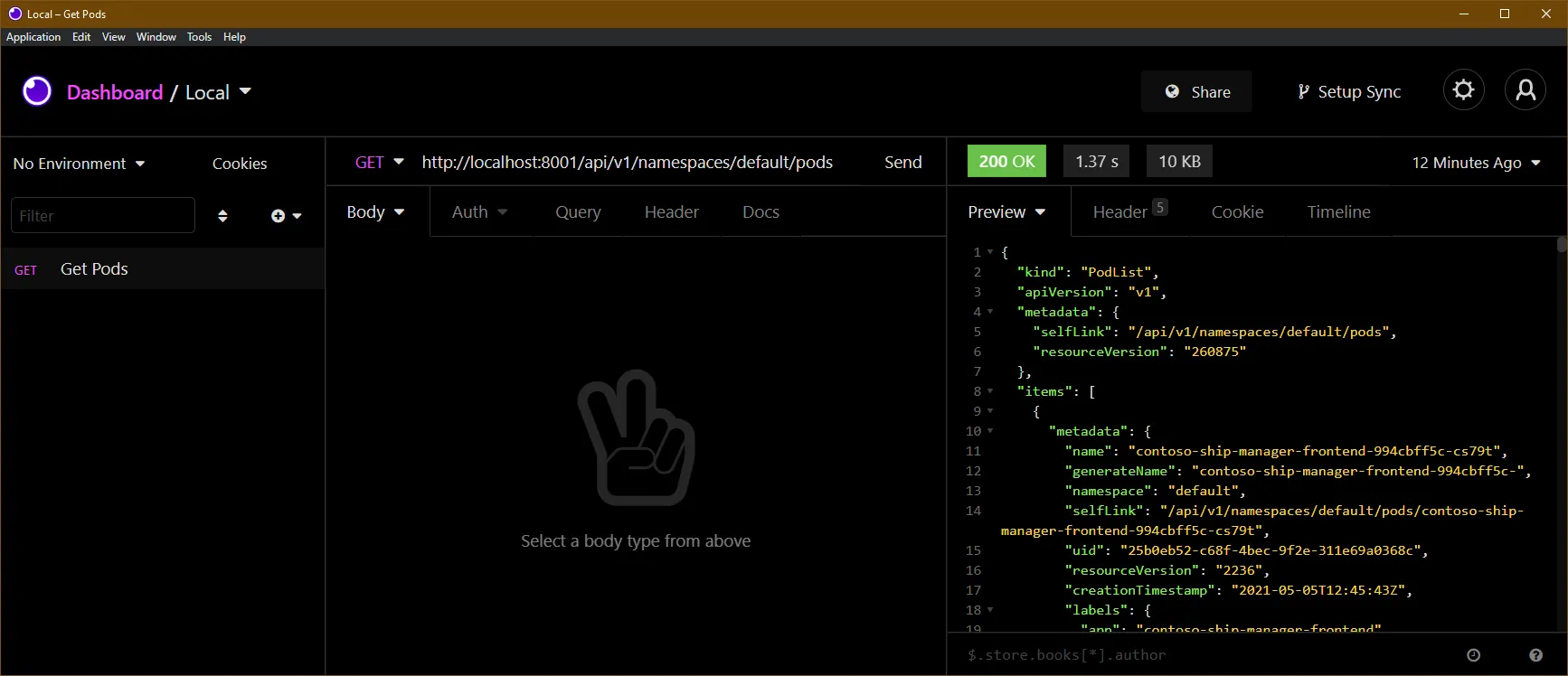
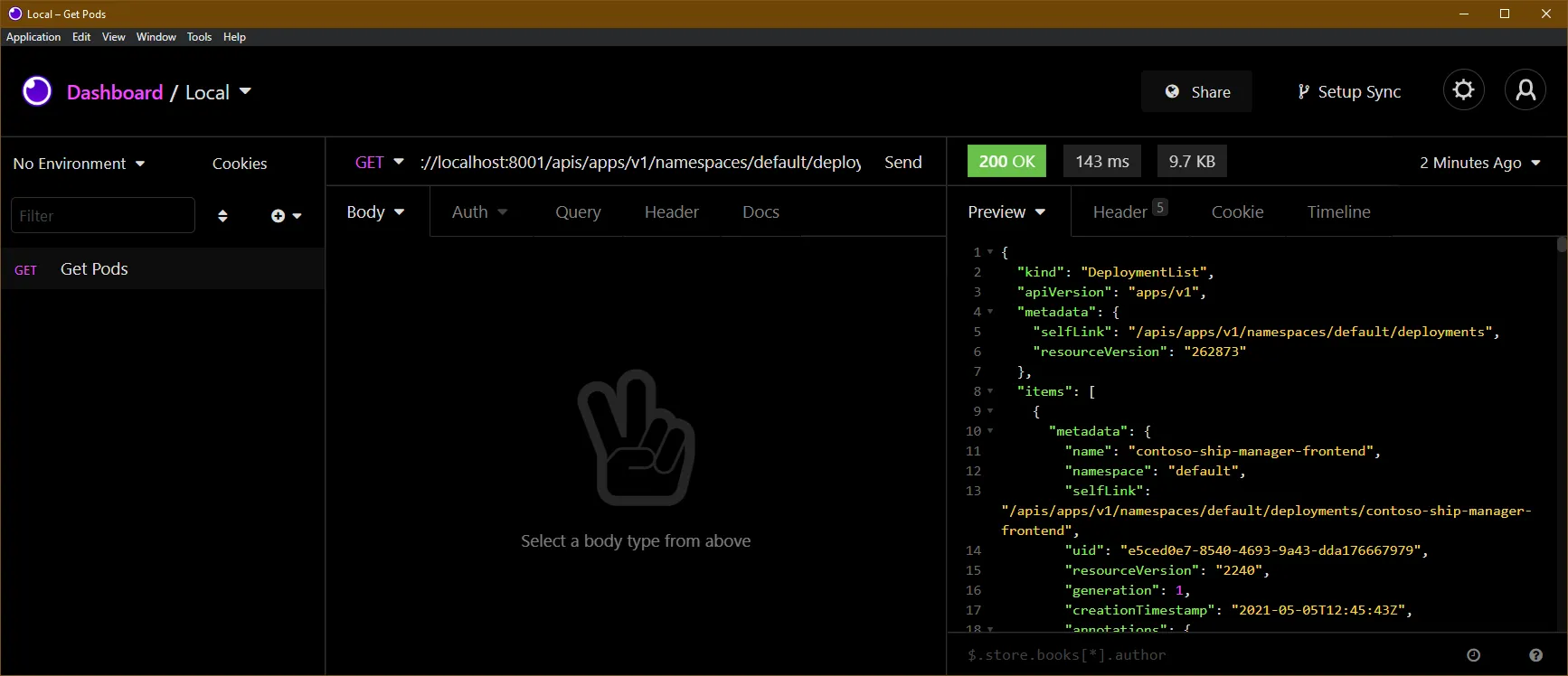
Some resources, like deployments, are not in what we call the “core API” of Kubernetes. The core API is when we don’t need to specify anything in the apiVersion field of the resource, like in Pods, which is apiVersion: v1, this means we can access it with /api/v1.
Deployments are part of apps/v1, for this we have a new base resource called apis, so we can get the list of deployments with http://localhost:8001/apis/apps/v1/namespaces/default/deployments:
The same applies to ingresses which are in networking.k8s.io/v1beta1 (or in v1 depending on your cluster version). This way the address is http://localhost:8001/apis/networking.k8s.io/v1/namespaces/default/ingresses
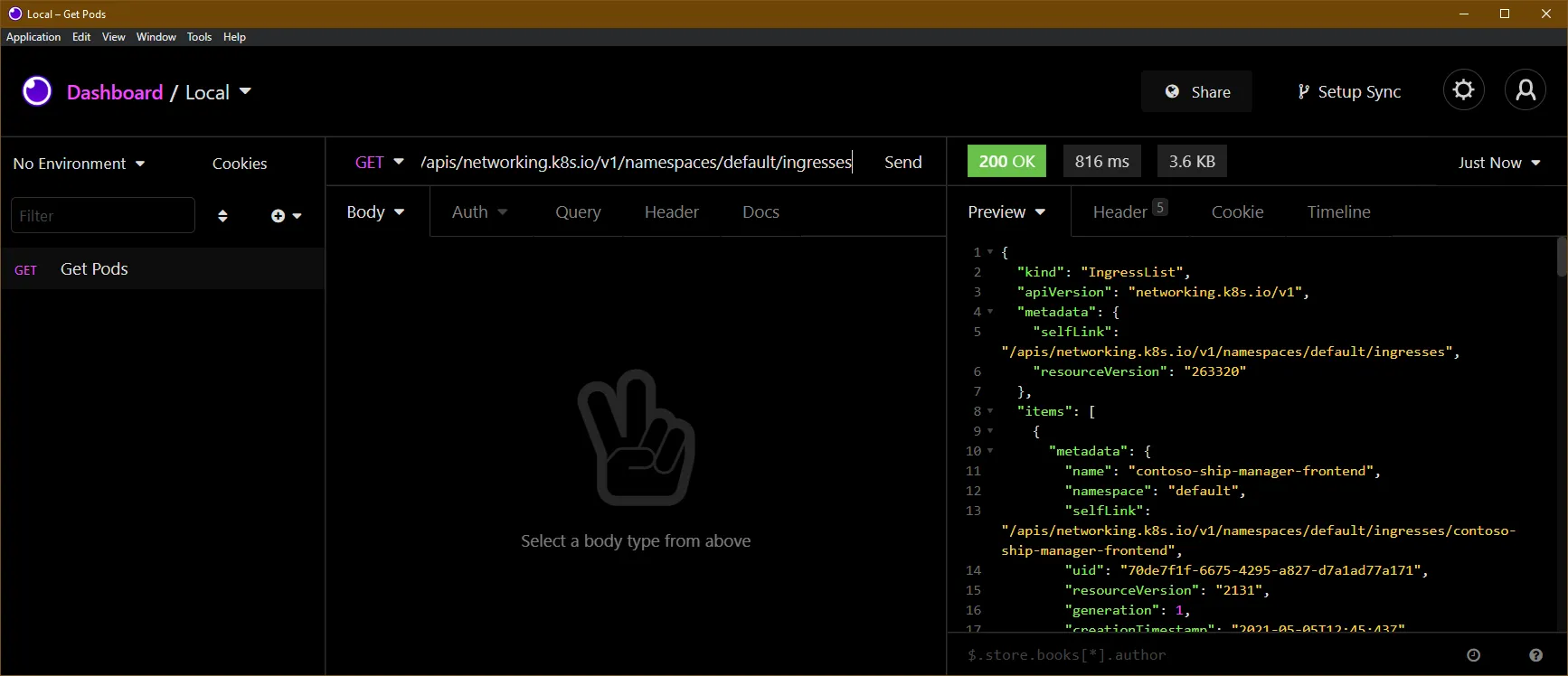
When we’re dealing with the
defaultnamespace, which is the default, we can completely omit the/namespaces/defaultpart, leaving justhttp://localhost:8001/api/v1/pods.
Want to know more?#
Take a look at the Kubernetes API documentation, or also pass the -v6 flag to any kubectl command to see the path it’s calling (if you pass -v8 you’ll also see the response body):
$ kubectl get pods -v6I0506 15:28:38.203647 6011 loader.go:379] Config loaded from file: /home/khaosdoctor/.kube/configI0506 15:28:38.796623 6011 round_trippers.go:445] GET https://dominio.subdominio.tld:443/api/v1/namespaces/default/pods?limit=500 200 OK in 580 millisecondsAnd here’s a list of excellent books about Kubernetes you can use to learn more!
Kubernetes: Tudo sobre orquestração de contêineres eBook: Santos, Lucas: Amazon.com.br: Loja KindleKubernetes: Tudo sobre orquestração de contêineres eBook: Santos, Lucas: Amazon.com.br: Loja KindleLucas Santos Kubernetes Básico: Mergulhe no futuro da infraestrutura eBook: Burns, Brendan, Beda, Joe, Hightower, Kelsey: Amazon.com.br: Loja KindleKubernetes Básico: Mergulhe no futuro da infraestrutura eBook: Burns, Brendan, Beda, Joe, Hightower, Kelsey: Amazon.com.br: Loja KindleBrendan Burns DevOps Nativo de Nuvem com Kubernetes: Como Construir, Implantar e Escalar Aplicações Modernas na Nuvem | Amazon.com.brCompre online DevOps Nativo de Nuvem com Kubernetes: Como Construir, Implantar e Escalar Aplicações Modernas na Nuvem, de Arundel, John, Domingus, Justin na Amazon. Frete GRÁTIS em milhares de produtos com o Amazon Prime. Encontre diversos livros escritos por Arundel, John, Domingus, Justin com ótim…John Arundel KUBERNETES: A Simple Guide to Master Kubernetes for Beginners and Advanced Users (2020 Edition) (English Edition) - eBooks em Inglês na Amazon.com.brCompre KUBERNETES: A Simple Guide to Master Kubernetes for Beginners and Advanced Users (2020 Edition) (English Edition) de Docker, Brian na Amazon.com.br. Confira também os eBooks mais vendidos, lançamentos e livros digitais exclusivos.Brian Docker Quick Start Kubernetes (English Edition) eBook: Poulton, Nigel: Amazon.com.br: Loja KindleQuick Start Kubernetes (English Edition) eBook: Poulton, Nigel: Amazon.com.br: Loja KindleNigel PoultonFootnotes#
-
This output may vary depending on where you’re hosting your cluster. ↩