What you knew and didn't know about TS - TS Week day 1
Part 1 of 5 of the series TS Week
TypeScript#
To start, there’s nothing better than telling a bit about TypeScript’s history, what it serves and what the purpose of this super useful tool in our lives is. This story will help you create context about what TypeScript is and what problem it came to solve, then we’ll dive into your first project and how each part of its configurations work!
Context and history#
TypeScript started as an internal Microsoft project in 2008 and was released to the public on October 1, 2010. The basic idea of TypeScript (and the problem it came to solve) was static typing of JavaScript code, mainly focused on developing larger applications, where JavaScript cannot scale efficiently (we’ll come back to this).
TS is not considered a language in itself, but what we call a superset of JavaScript, that is, a superset. But saying that didn’t help much, did it? So let me give you a more practical example. This means that TypeScript encompasses everything JavaScript already has and extends it even more, so all JavaScript code is valid TypeScript code, but the opposite is not true, by definition.
We’ll see over the course of the week that TypeScript is essentially entirely based on sets, so this concept will become clearer.
Unlike other languages, TypeScript was not created to replace JavaScript, but rather to extend its use, the same way another tool called Flow had done previously. That’s why many people say that TypeScript itself is not a language, but rather a type system that is implemented on top of JavaScript.
The definition of a “system” or a “superset” is correct, but it’s somewhat controversial since, by definition, a superset of a language should also be considered a language, because, at the very least, it has to contain the language within it.
But, unlike other type systems that came before (yes, TS is not the first, nor the second), TS is considered a Turing-Complete system, which means we can solve problems of any complexity using only the constructs it offers us.
And this is so true that there are entire projects like games, parsers and even small applications made exclusively using TypeScript’s type system, of course, because it has no interface, people found quite creative ways to display outputs to users.
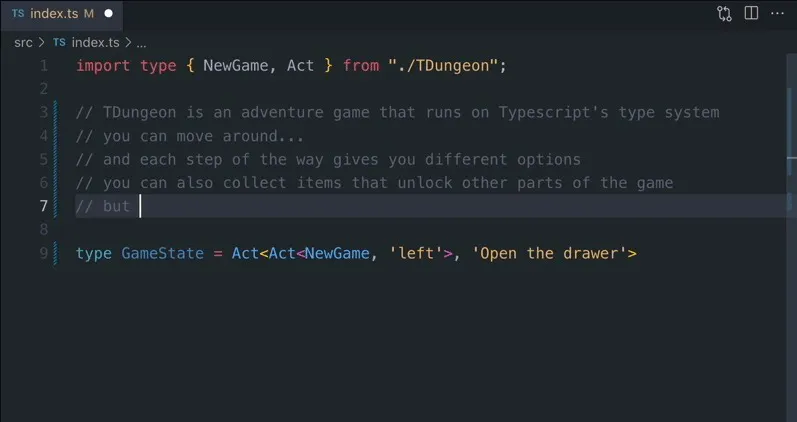
One of these examples is TDungeon, a text-based RPG game that is entirely made in TS’s type system.
Who knows what you can create with it after this week?
An interesting fact is that one of the main designers and developers of TS is a Danish software engineer named Anders Hejlsberg who is also the lead designer of C# and created other languages like Delphi and Turbo Pascal. That’s why, at first glance, TS code is very similar to C# code, especially in its structures.
Today TS is one of the most used tools in the world and one of the most beloved by any developer because, among many other things, it helps you maintain your sanity in very large projects.
Why TypeScript?#
Now that we have the context of where it came from, let’s understand the why it exists.
During my career I have worked with small and large projects using JavaScript. The language itself is not the problem, in fact, many of these projects were only possible because JavaScript is much simpler than other languages, by far the biggest problem is the scalability of these applications, which is a direct reflection of JavaScript having dynamic typing.
Let’s show some code. Imagine you have this application using Express with Node.js:
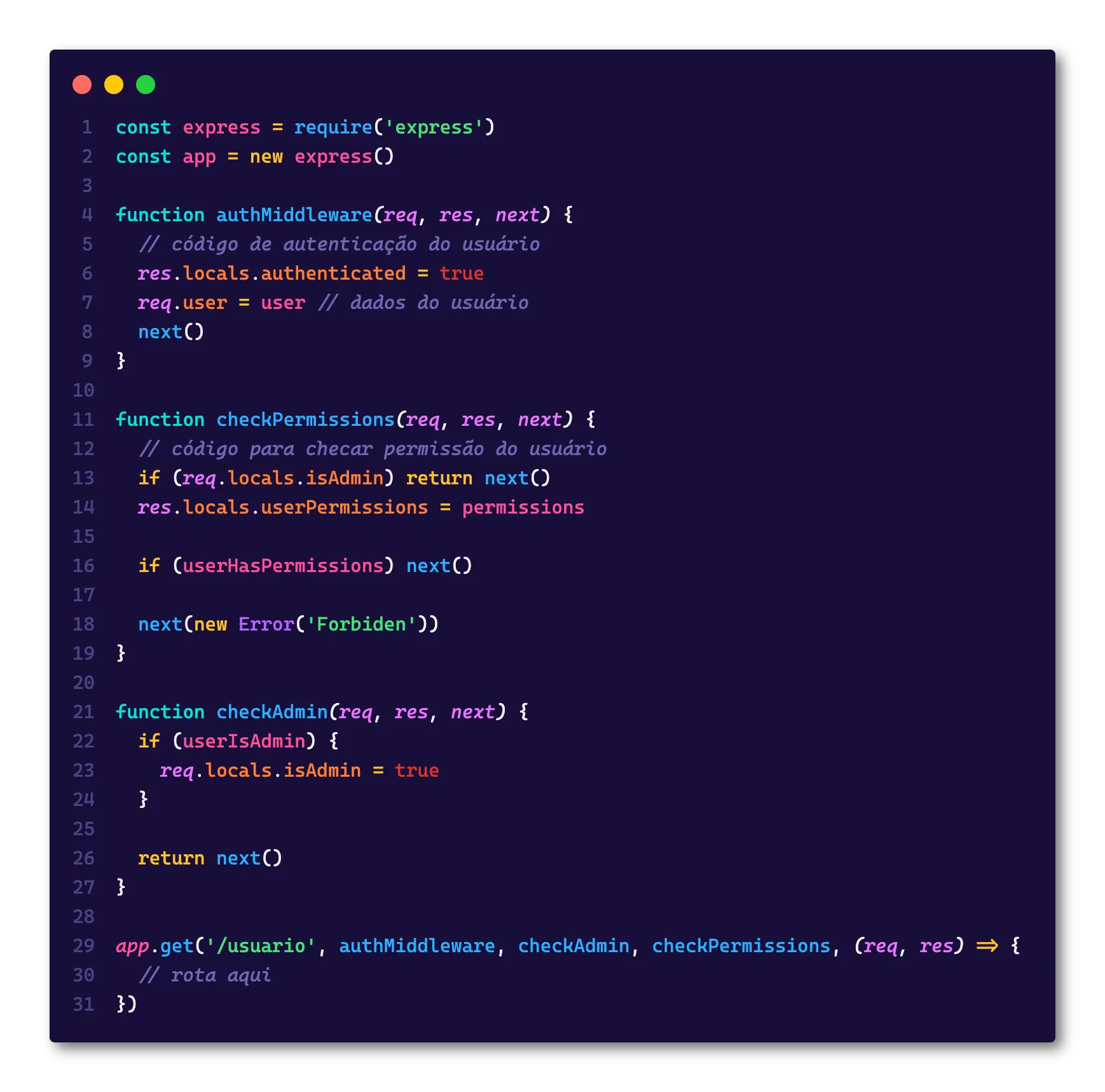
In this example we have only three middlewares and we can already see that we have a problem in knowing what exists inside res.locals, in larger applications the number of middlewares can easily exceed 30 per route (which is a really bad practice, but they exist) in these cases it will be completely impossible to know what exists inside that variable, especially if the middlewares are defined in separate files.
Another quite interesting example is when we need to guarantee a certain data type, let’s say we have this code:
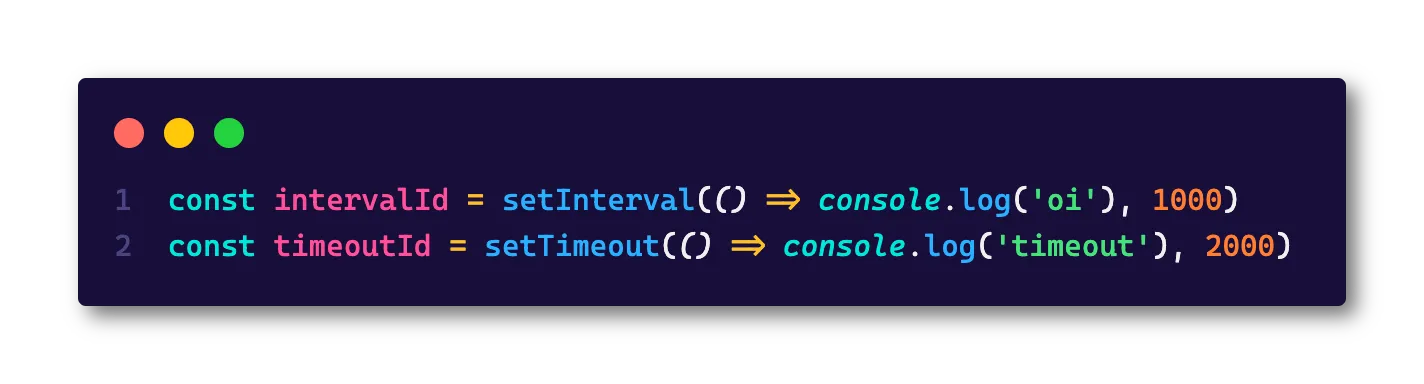
In JavaScript we have two functions to cancel timeouts and intervals, which are clearInterval and clearTimeout, but they can only receive specific IDs from each one, if we try to use clearInterval(timeoutId) we won’t get any result, and that’s where TypeScript will shine with something like:
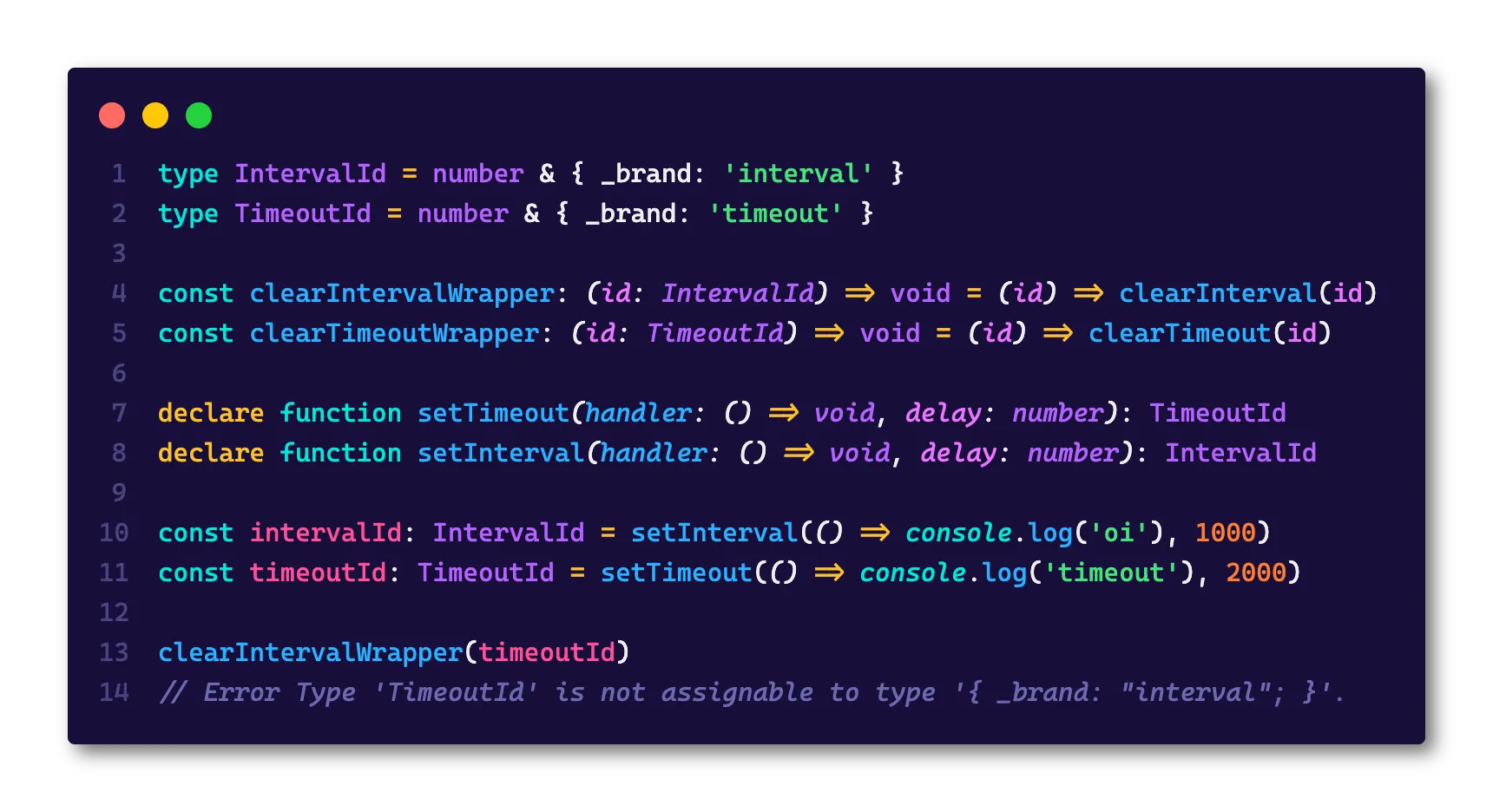
Did you get the idea? The goal of TypeScript is exactly its own slogan: “JavaScript that scales”. Because with it, it’s possible to create huge applications, with many modules and much complexity without losing track of the types of each variable. This is especially useful when you’re working with a team, since the knowledge of the application is distributed among many people.
Another quite important factor is that TypeScript drastically reduces what we call bus factor, which is an analogy for the number of people who can be away from your project until it becomes unsustainable. Usually this factor is very tied to those people who entered at the beginning of the project and, because of that, have a lot of knowledge about the business rules and the codebase itself, but if they leave your company the project is done, because nobody knows anything anymore. With TypeScript you can at least maintain much greater control of the codebase, making the transfer of knowledge much simpler.
TypeScript also facilitates direct debugging, that is, the kind of debugging where you don’t even need to run the code or a test suite to know something is wrong. This is because, if the typing is correct, you can solve complex problems without even running the code once. Besides that, it helps with documentation and application architecture.
Besides, the TypeScript compiler can also do several other tasks besides checking types, one of the uses of TypeScript is also to break large projects into smaller projects and put it all together using a module model that we’ll see in the following paragraphs.
First steps#
Did I convince you that TS is worth it? Then let’s learn how to install and use all the advantages it offers.
I’ll reference this section in the following parts when we need to install TS to run our projects
Creating your environment#
TypeScript can run in any environment, and similarly, you can use any editor to create a TypeScript file, nowadays most editors have support for TS type analysis.
However, my personal recommendation is VSCode since it’s the editor that was originally built to work with TypeScript, by default it already supports all TS features and even comes with its own built-in version in case you need to analyze a file and don’t have it installed on your machine yet.
In fact, TS support in VSCode is so good that you don’t need any plugin or extension to make it work
NPM Packages#
TypeScript is written in TypeScript (how poetic) and published on NPM as a package, so to start using it in your first project just create a new folder and run the command npm init -y, and then install the TypeScript package with npm install -D typescript.
Always remember to add the
-Dbecause TypeScript is not a package that should go to production
To help even more, we can install all Node.js typing, so TS will know everything about the environment we’re running. We can do this with the command npm install -D @types/node
Compiling#
When you install TypeScript, it will give you access to a binary called tsc which is the TypeScript Compiler. It will be responsible for the transpilation from TypeScript to JavaScript, since no environment (neither the browser nor Node.js) runs TypeScript natively.
First of all, we need to initialize TypeScript in the folder, and we can do this with the command npx tsc --init, notice that now we’ll have a tsconfig.json file at the root, and that’s what we’re going to talk about on this first day.
Create a file sum.ts and put this code there:
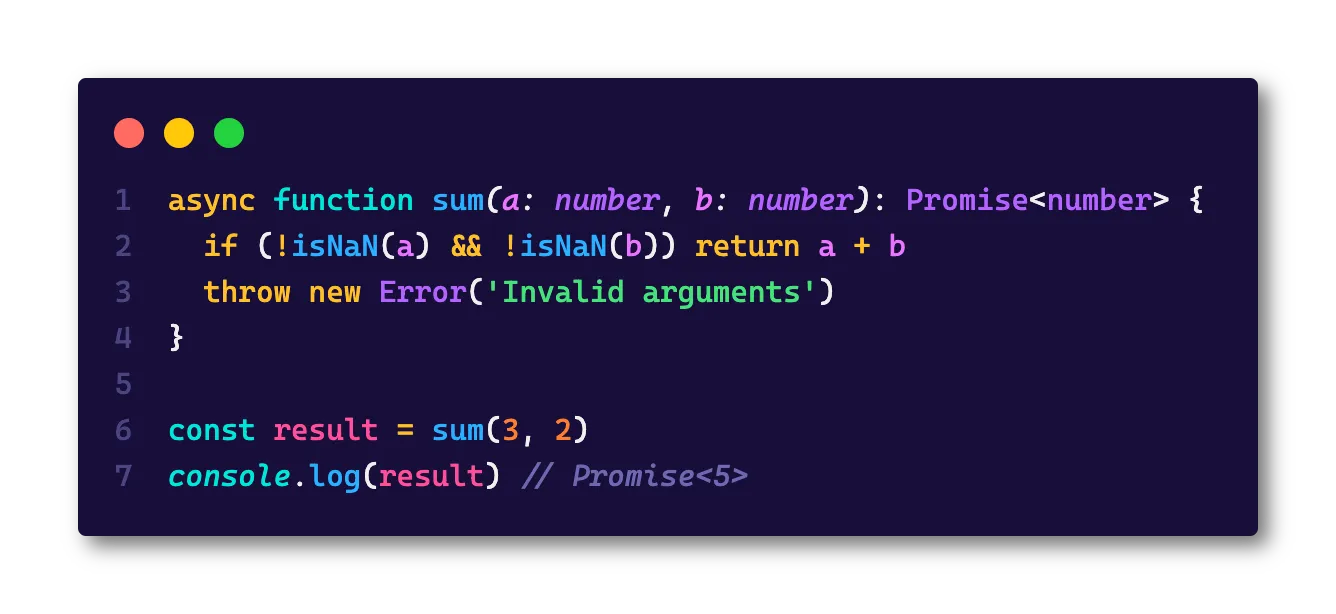
Now run npx tsc ./sum.ts and this should give you a sum.js file in the same folder, try running that file using node sum.js and see the result!
TSConfig#
The TypeScript configuration file is called TS Config, and it is the heart of the entire project. The presence of the tsconfig.json file indicates that this is the root of a TS repository, and that’s where TS will look for all settings to compile the project.
Just like we’re used to with Node, when we invoke the TS compiler (the tsc) without any argument, it will look for the nearest tsconfig.json file and read that file to find the options. In addition, you can specifically tell which configuration file it should use with tsc -p <file>
Also, you can override any properties of tsconfig.json directly on the command line using the options specified directly, which is useful when you need to change something for a specific compilation.
Today I want to go through the main TSConfig settings and explain what each one is for! But first let’s understand the file structure:
Root Fields#
It starts with the so-called root fields, which are the keys that tell TS which files it will take into account:
files: A list of file names that should be included in the program you’re compiling, for example:
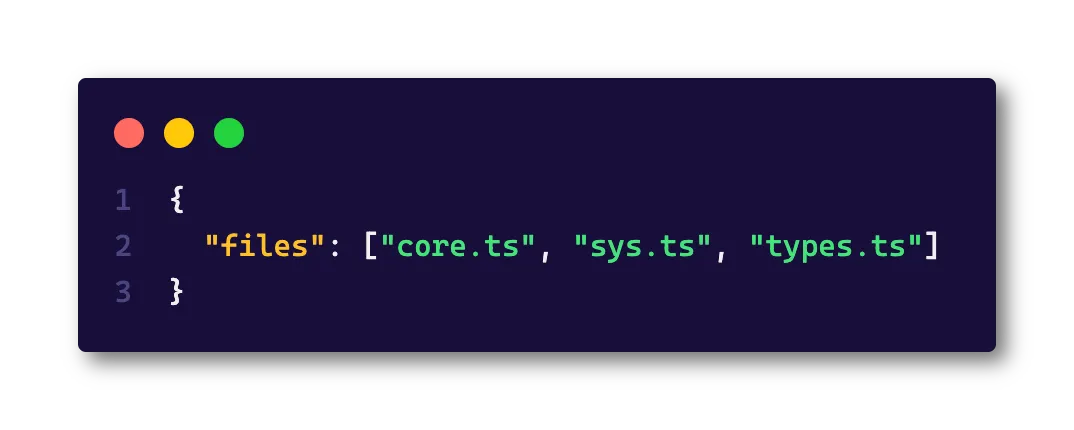
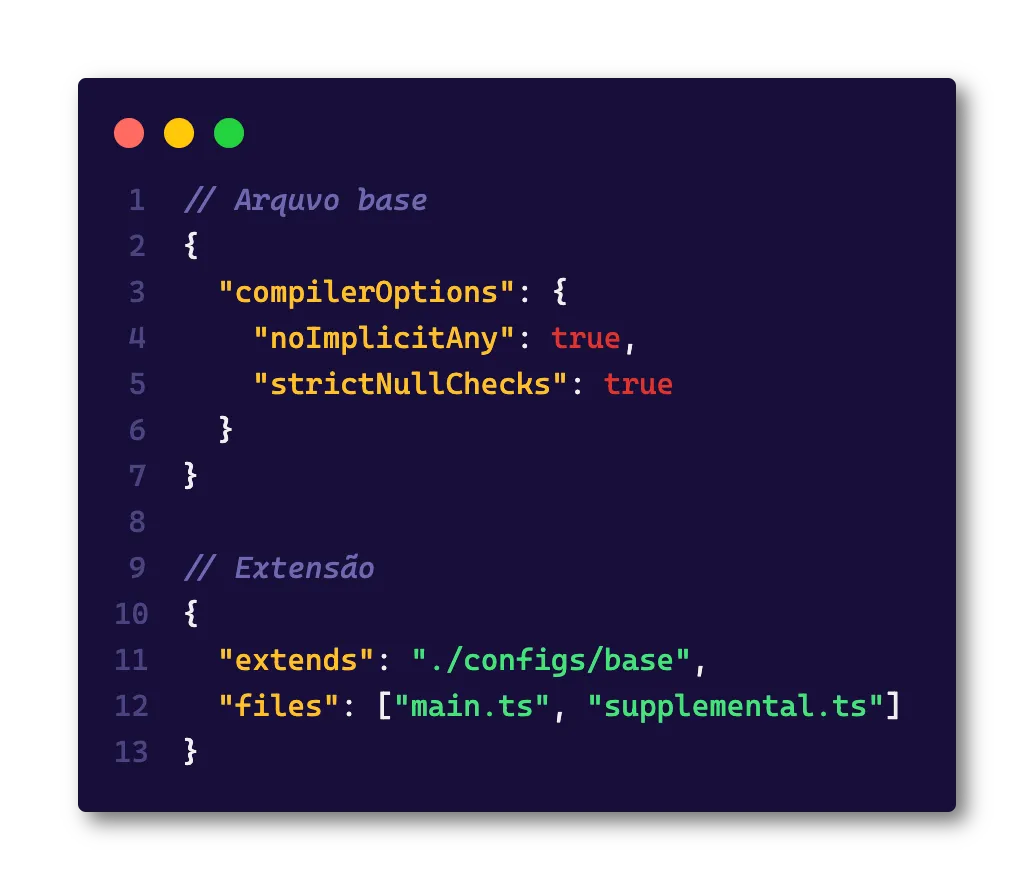
extends: One of the most powerful tsconfig features, which allows you to extend other configuration files, in fact, TS has base files which are ready and configured configuration files that you can extend directly from the repository withextends: "@tsconfig/node16/tsconfig.json". Another very useful use for this feature is when you’re working with monorepos that contain many projects inside, so you can have the base file at the root and modify it according to each project. All extra settings will be treated as modifications, including if an option exists in the base file and is overwritten in the second file, the most recent one will be the one that counts!
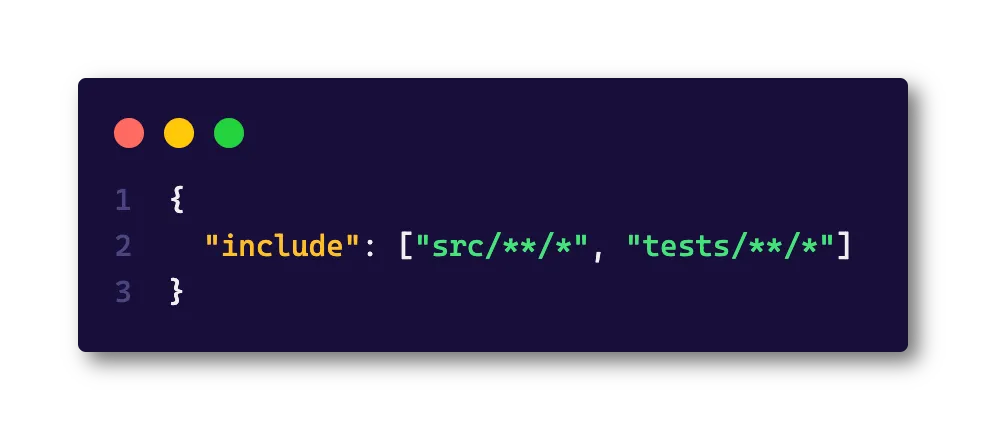
includeandexclude: Just likefiles,includeandexcludewill control which files you will include in the project, the difference is that these keys accept globs, that is, regular expressions that match one or more files. They are quite useful when you can’t specify a direct file list withfiles
Compiler Options#
This is the most important field in the file, which is where you define how the TypeScript compiler will behave. This section is extremely long and has many options so I won’t list them all here, but I’ll talk about some that I consider most important and best practices.
exactOptionalPropertyTypes: It’s an option that makes optional fields in interfaces like{ color?: 'blue' | 'red' }more strict. This code would resolve tocolor: 'blue' | 'red' | undefined, with this option enabled,undefinedstops being an option, so either the field is there or it isn’t.noImplicitAny: It’s one of the most controversial options in TS, the idea is that this option doesn’t allow TS to do automatic type inference forany, which is the scourge of all TS types. In this case, when we have functions likeconst f = (s) => sTS will complain thatsisany. I strongly recommend that this option be enabled because it’s the most efficient way to only leave theanys you want in the code.noImplicitReturns: It’s another option of thenoImplicitclass that I strongly recommend all be enabled. In this case, this option will guarantee that all paths you can take must return a value.module: Modifies how TS will load modules, usually you won’t change this option, but each of them will behave differently, changing the final file. Here you can define whether you want the import form to beCommonJS,UMD,AMD, various flavors ofESlikeES2020andnode16which automatically integrates support for ESModules using themtsandmjsextensions.paths: An interesting option that lets you create your own import maps, telling TypeScript how it should load a file, for example, setting something like:
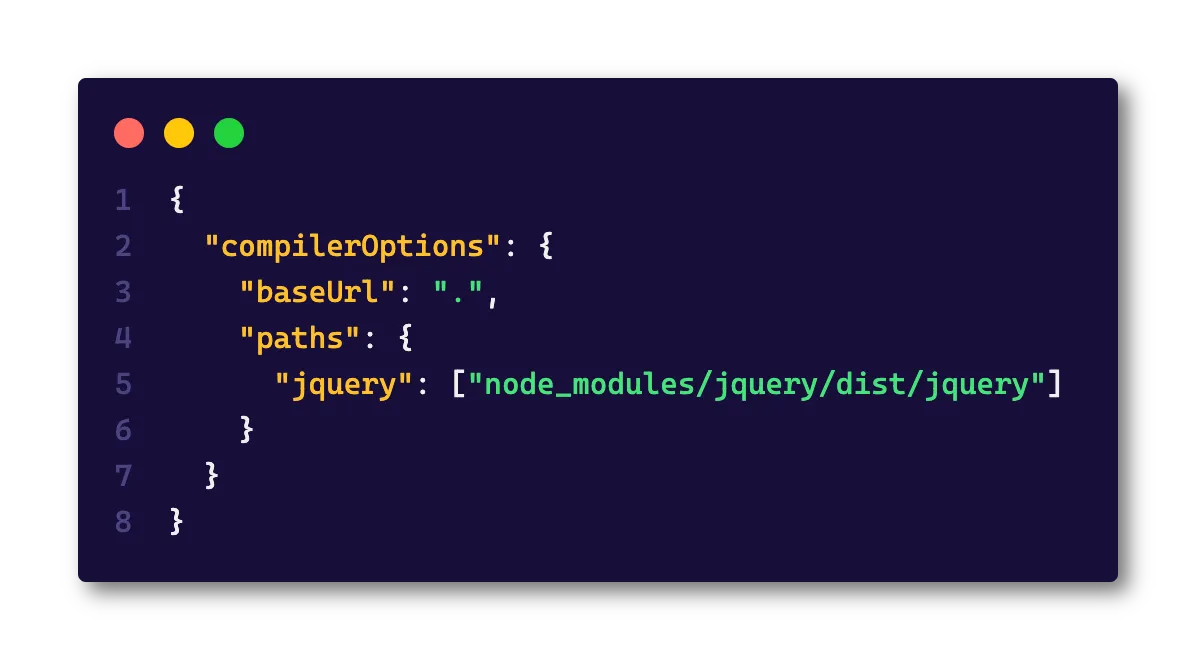
Will allow you to write import 'jquery' directly, just like using something like:
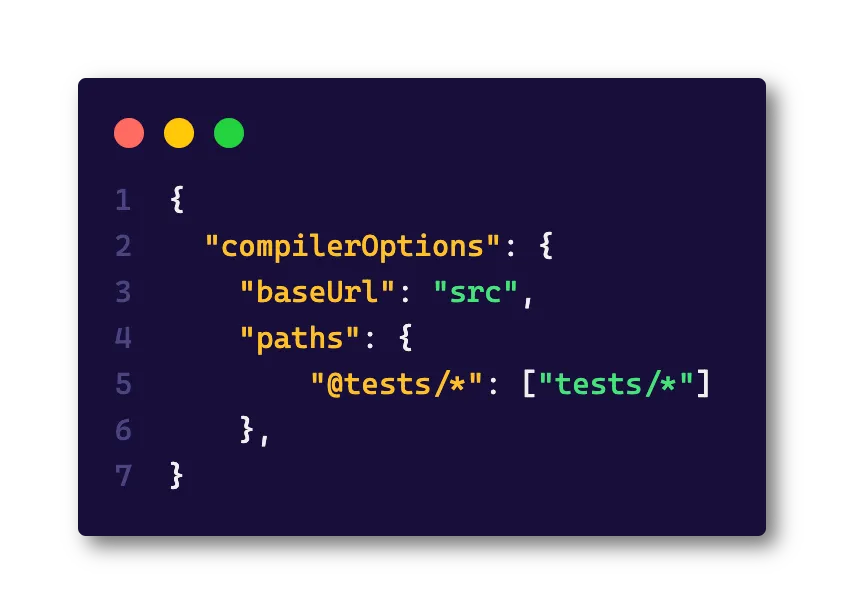
Will allow you to import your tests as import '@tests/meu-arquivo.spec.ts'.
Unfortunately I won’t be able to cover all the options here, but besides these, you can also configure how editors behave, plugins and much more. The complete documentation is here
Wrapping up#
It was a pretty long text, but I hope you enjoyed it! In the coming days we’ll have even more content so see you then!
One last thing! This is the first time I’m creating this kind of content so your feedback is super important! It’s super quick and helps me a lot 🥰
For you to practice#
For today’s challenges we’ll start light with the awesome Type Challenges repository so you can practice!
Every day I’ll send the result from the previous day and explain the solution, feel free to share your solution with me on my social networks! I’ll love it 🤓
Today’s challenges are:
- Hello World: To start light, you have to make this code stop giving errors by transforming
HelloWorldinto aString - If: To make it a little harder, implement a type called
If<C, T, F>whereCis the condition that should be eithertrueorfalse,Tis the true value andFis the false value, so for example:
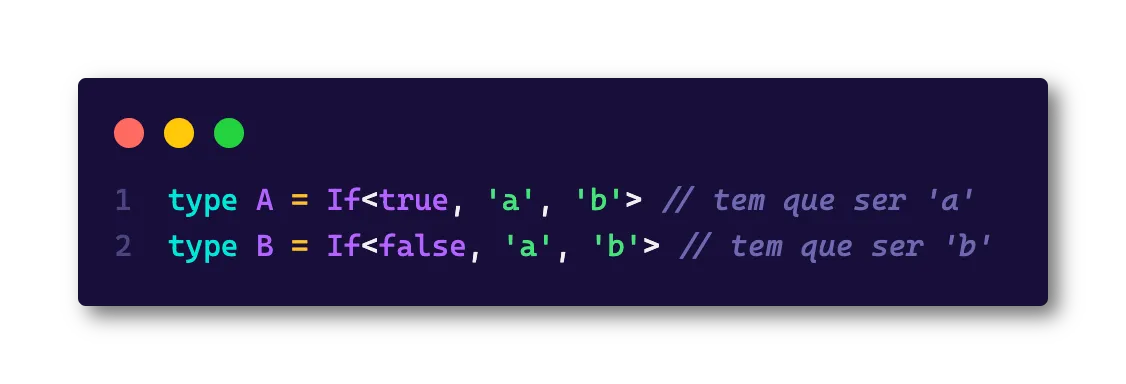
See you tomorrow! And don’t forget to leave your feedback about the week in that form!
Footnotes#
-
I’ve already talked a bit about static and dynamic typing in my series of articles about Node.js under the hood ↩
-
The
@typesis the scope of an organization called DefinitelyTyped that has types for various famous packages, we’ll talk more about it in the coming days. ↩