TypeScript good and bad practices - #SemanaTS day 3
Part 3 of 5 of the series TS Week
For today I thought about bringing a bit of what people always ask me over and over when I’m talking about TypeScript: What are the good practices? What are the main problems we run into when we’re dealing with TypeScript?
So today we’re going to discuss code best practices, type best practices, and we’re also going to touch on configuration best practices, plus explain more about interfaces, types and enums.
Typing best practices#
To start, let’s talk about the best practices when typing your code using TypeScript. Keep in mind that these practices aren’t written in stone, they’re the main ones that I personally prefer to use and that the community also adopts as good code practice.
So it’s not something you need to be completely inflexible about when someone comes up and asks you, it all depends on the context and where you’re going to apply these practices.
Naming#
The first good practice is related not to a type, but to your mental well-being while you’re writing types. Always try to give the most descriptive name possible to your generics, for example, let’s use this code:
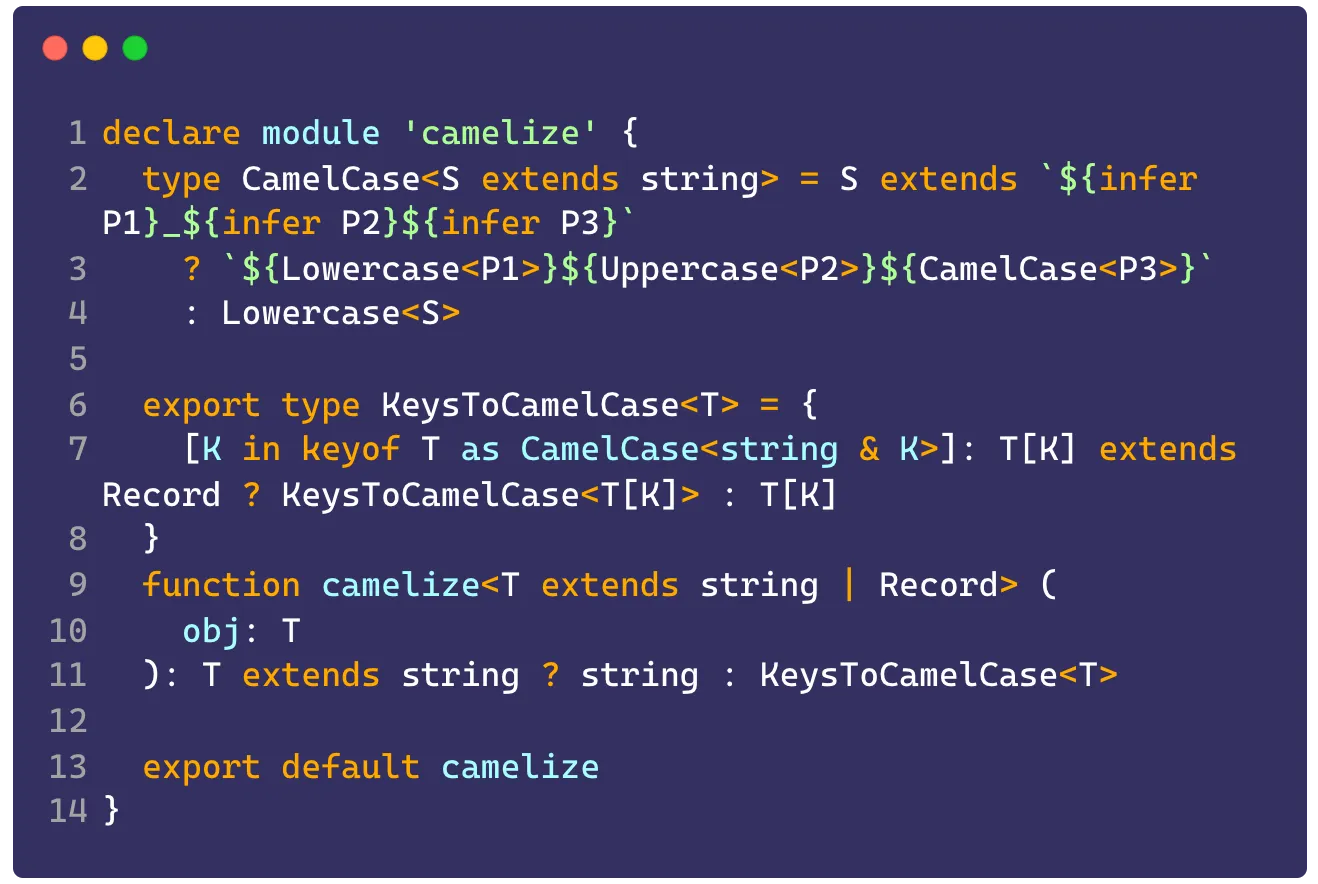
This is code from a .d.ts declaration file for a module called Camelize. The idea is that it converts any key of an object into CamelCase, but notice how hard it is to read when all our types are T or K, and it’s even hard to understand what the type is for.
This can be fixed easily by renaming your generics, which are the type annotations that appear between <>, we haven’t talked about generics here yet, but think of them as a kind of parameter for types the same way functions take parameters.
We can make this type a lot more readable like this:
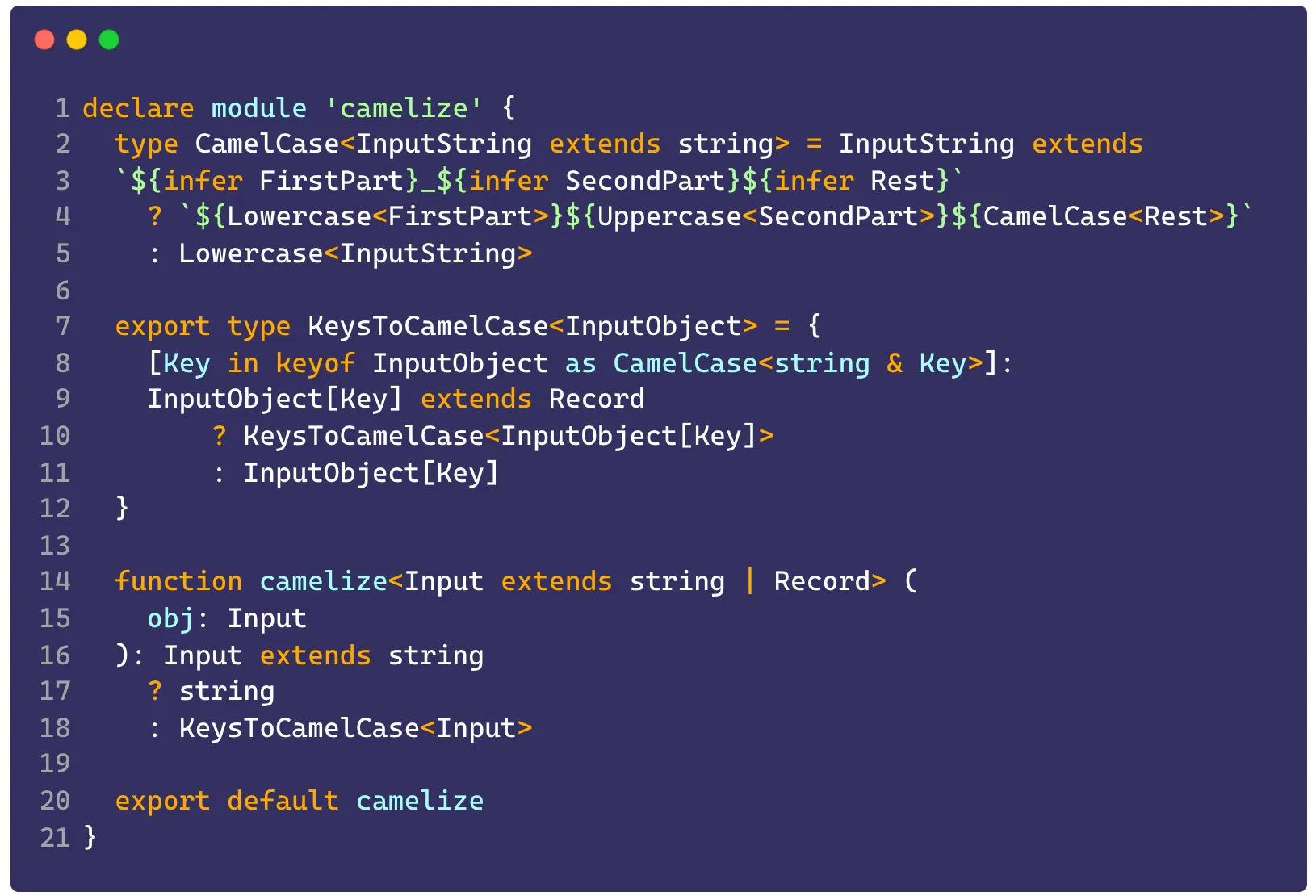
The amount of text went up considerably, but the code becomes much simpler to read and much simpler to understand.
Using generics#
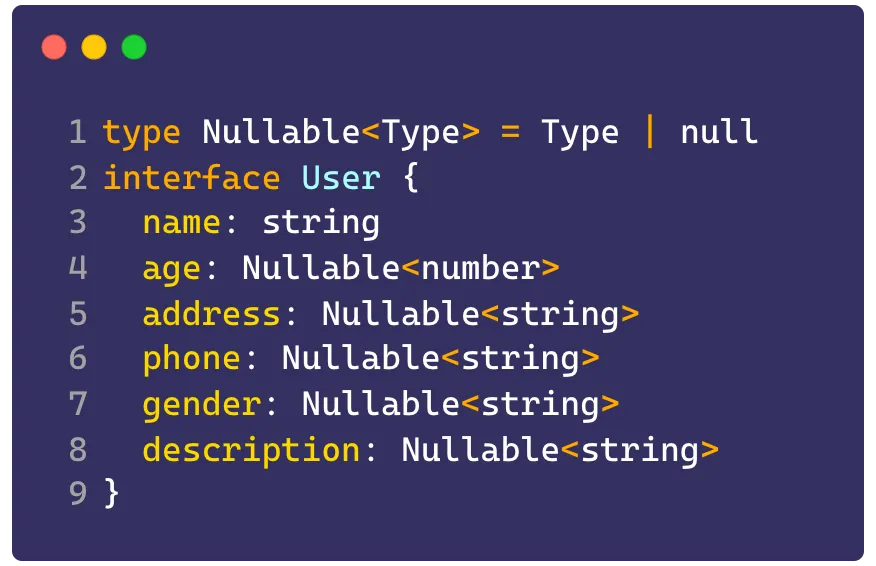
Using generics as a whole can be considered a good practice because it can greatly simplify the way we read and understand types, and it cuts down a lot of repetition. For example, imagine this interface:
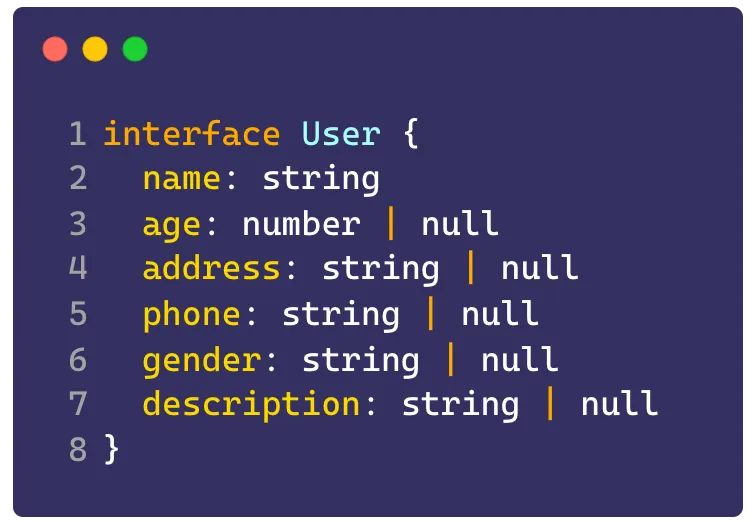
Look at how many times we use string | null, this type could be replaced by something like:
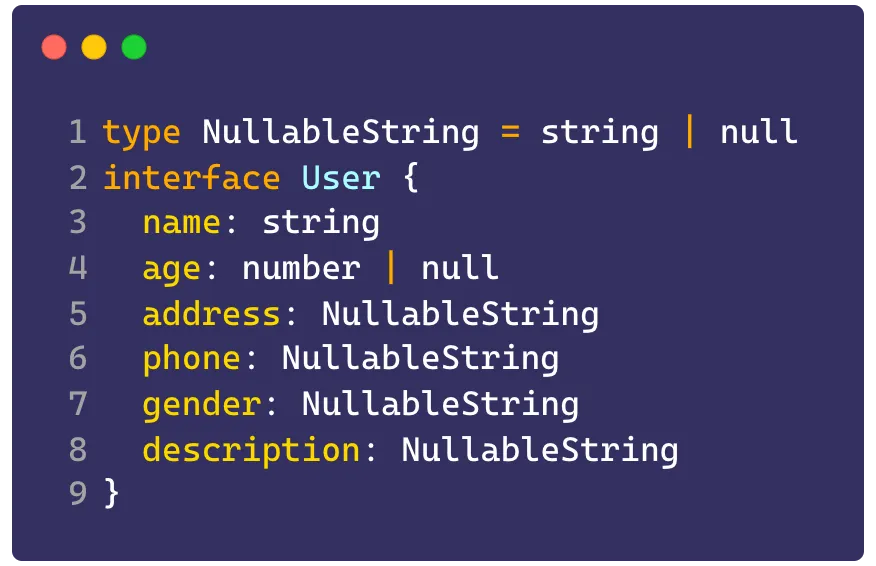
Which is another good practice but isn’t what we’re looking for right now, because we have a number | null type left over, and we’d have to create another type just for it. In this case it’s much better to create a generic type Nullable<Tipo> and replace it like this:
Type aliases#
Continuing from what I just said. Using type aliases is highly recommended, especially when we have to use the types in multiple places, for example:
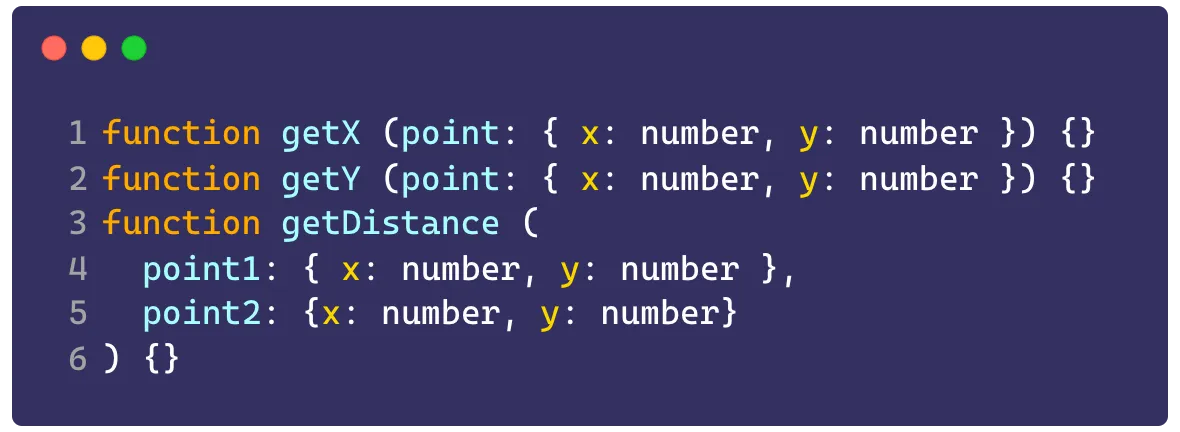
In this case we can convert everything to a Point type:
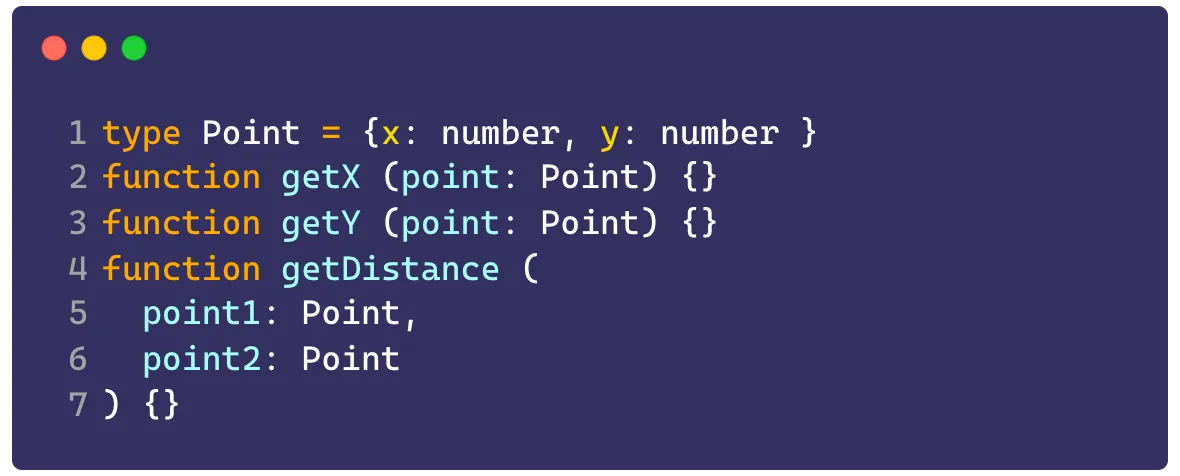
Which also lets us extend that type, for example, if we want a Z coordinate now:
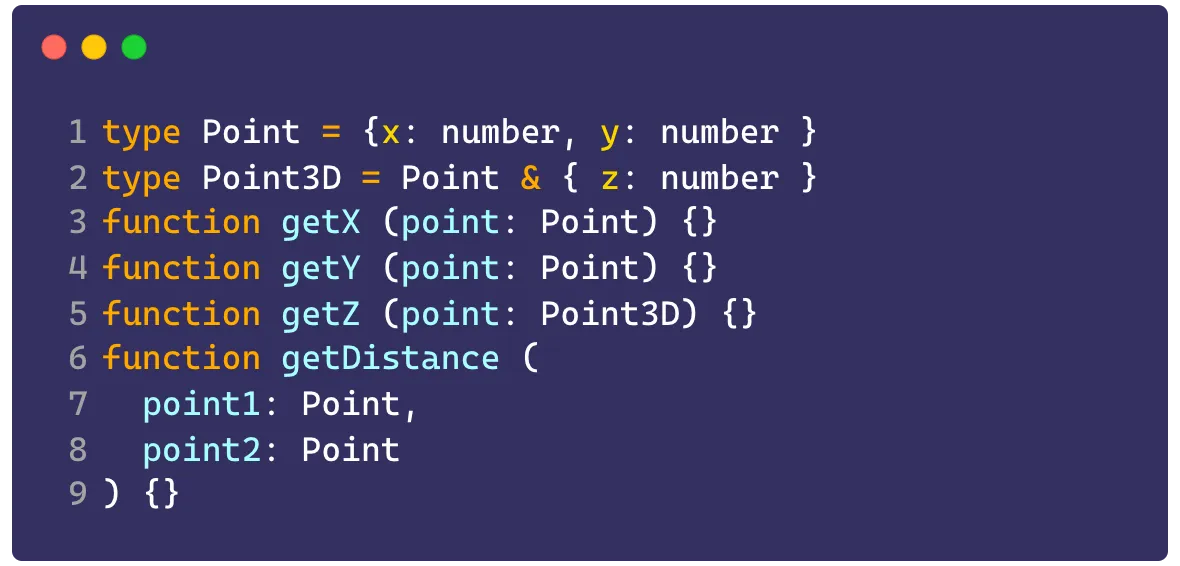
Type aliases are also great for building our own utility types (which I’ll talk about later) and for creating enumerators with union types:

Which takes us to the next topic.
Interfaces#
Interfaces are every dev’s main friend when we have to code some more complex type, especially when it comes to API responses. There’s a myriad of things behind using interfaces and they could have their own post (keep an eye out, it might show up on my blog 👀), but let’s stick to the basics today.
An interface can only be used to type complete objects, so the main use is typing returns from external APIs. Not only do they accept generics, they can also be extended. So let’s imagine we have an API that returns one of two request options:
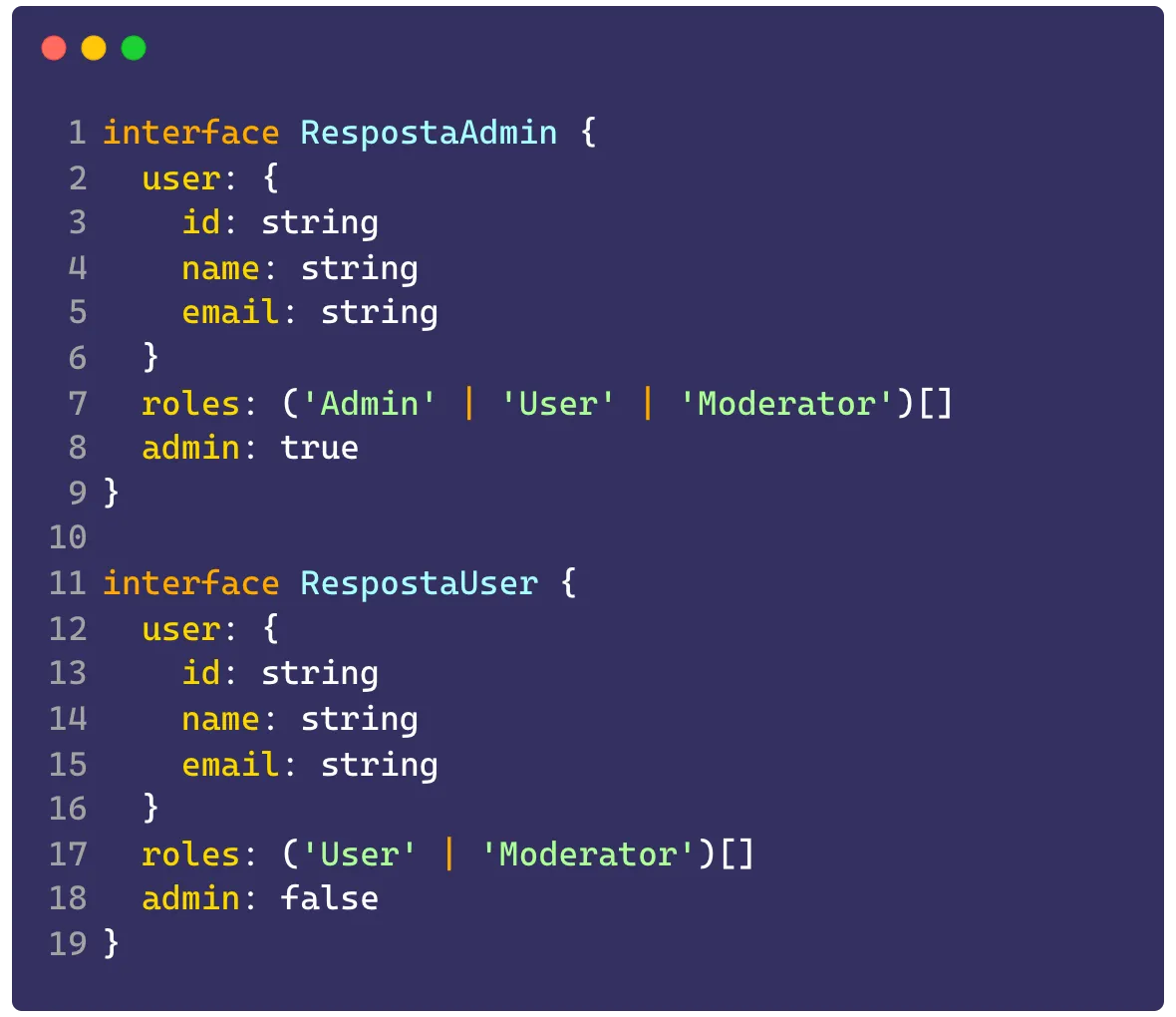
This interface could be written as an extension of another interface:
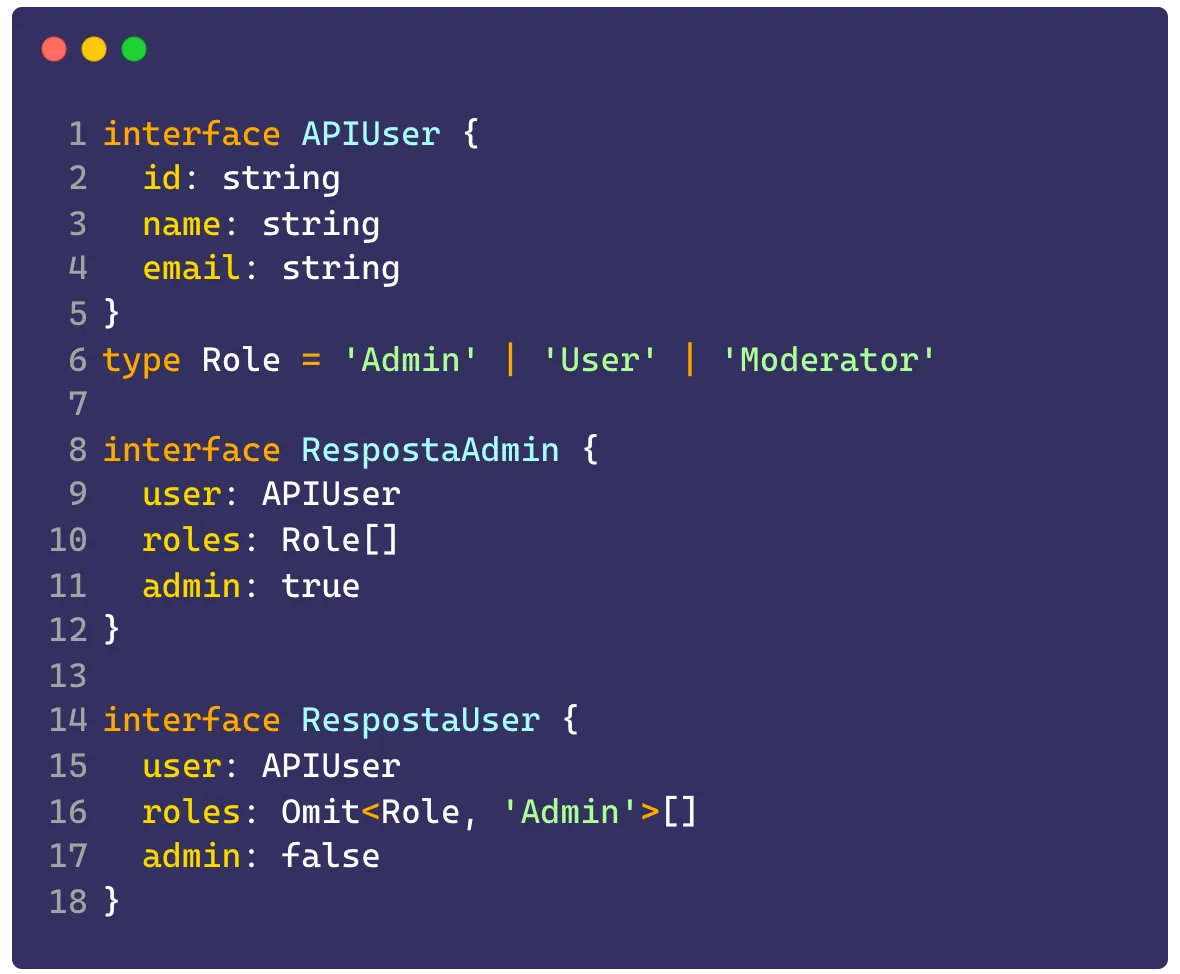
Notice we’re using a utility type called Omit that removes one of the keys from our union.
We could make it even more useful if we made a discriminated union, which is going to do what we call type narrowing, reducing the type down to only what we pass, for example, for the admin key:
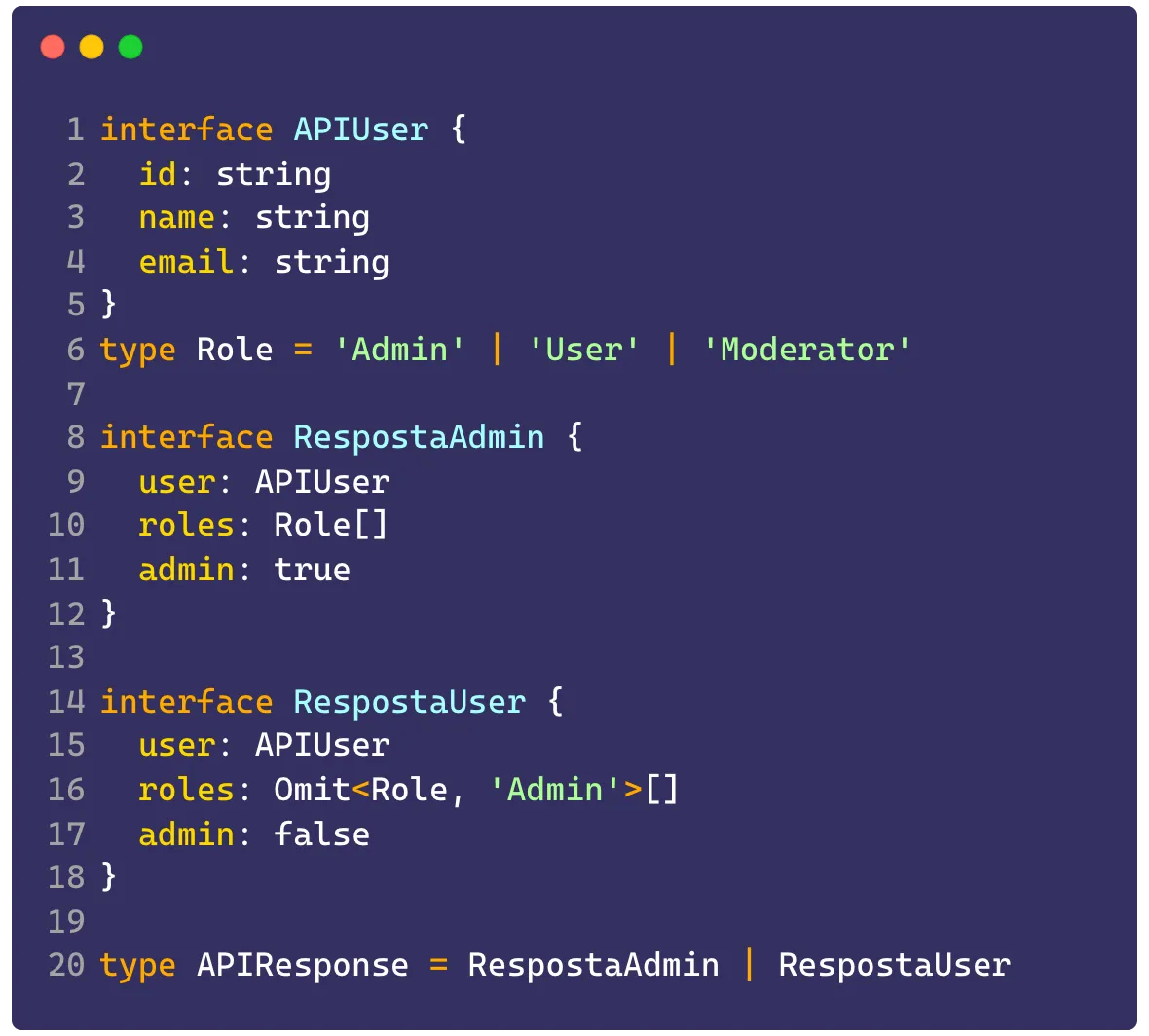
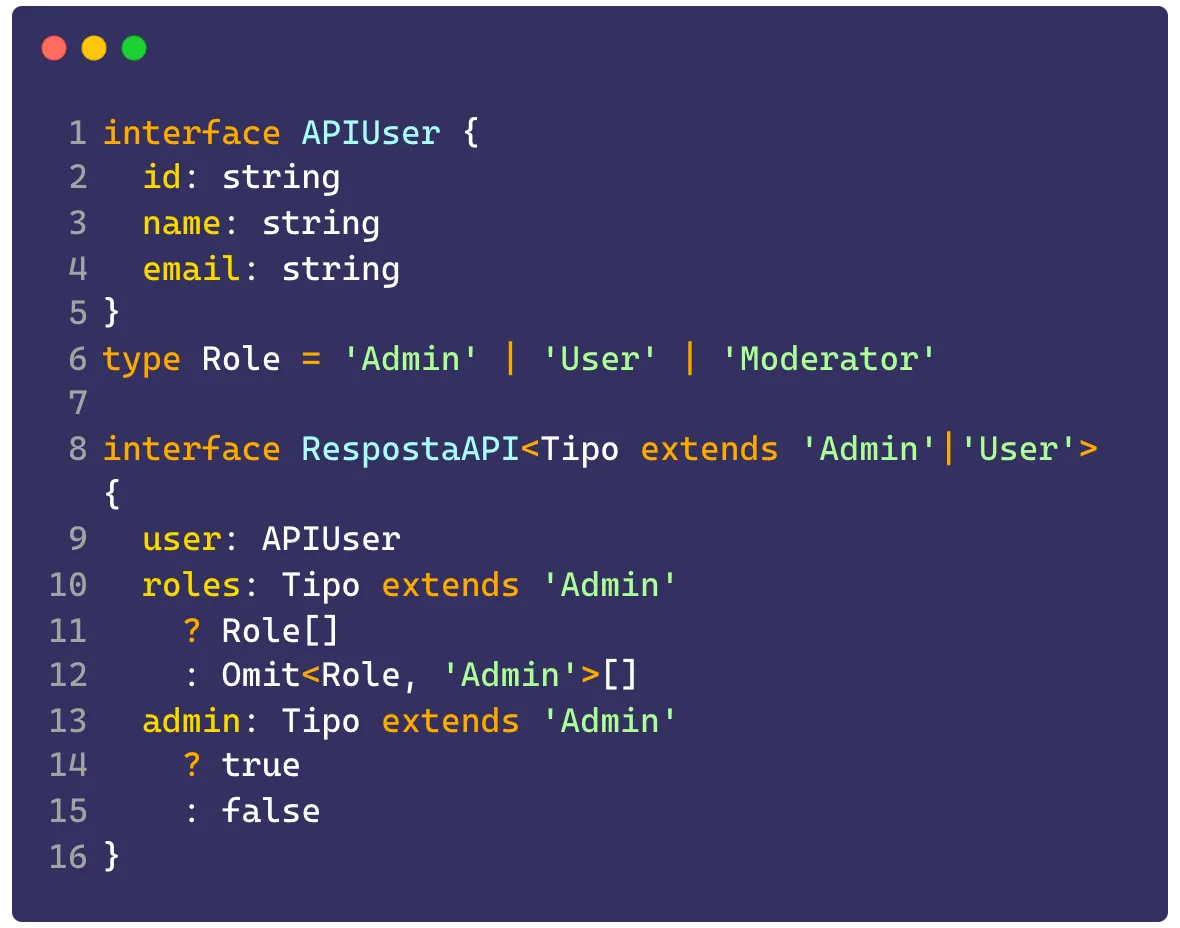
And we could make it even more generic using generics:
Types vs Interfaces#
Another question I’ve gotten more than once in several places is: “What’s the difference between types and interfaces?”. I’ll give several examples here and you can see all of them at this TS Playground link.
Let’s start with the most obvious: Interfaces only represent objects. Types can have the same function but simple types can also represent primitives, which isn’t possible with interfaces, so we can represent an object like this:
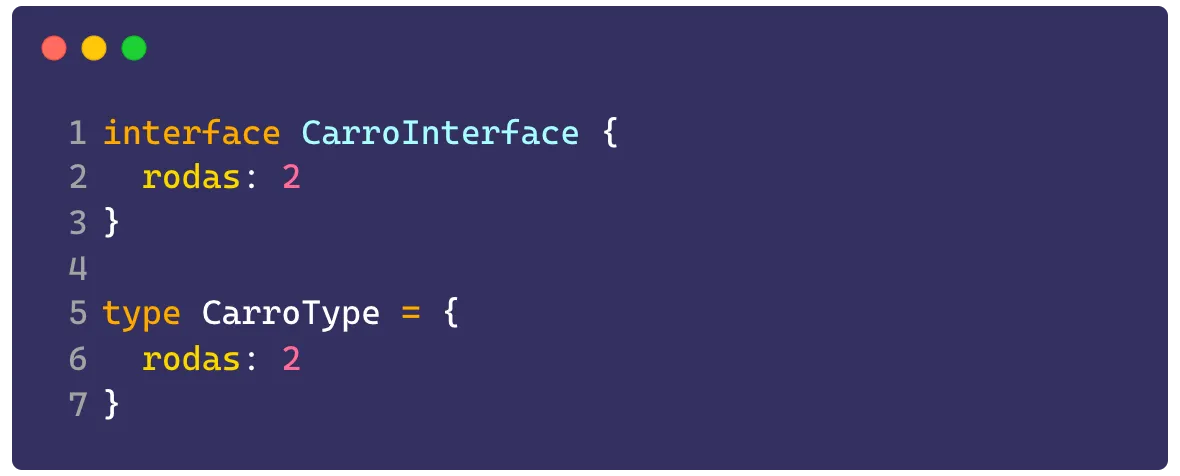
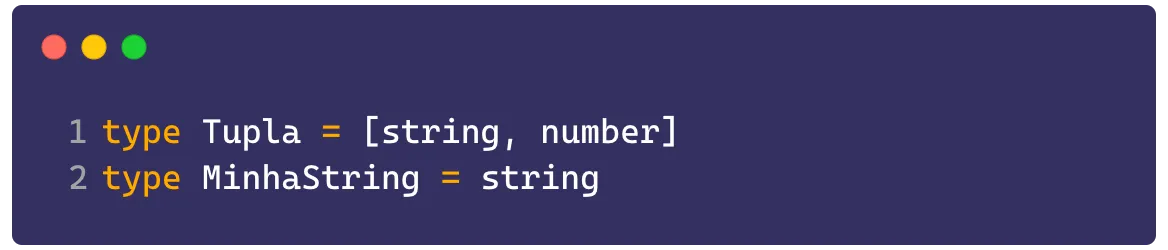
But interfaces can’t have primitive types or tuples, that’s a job for types:
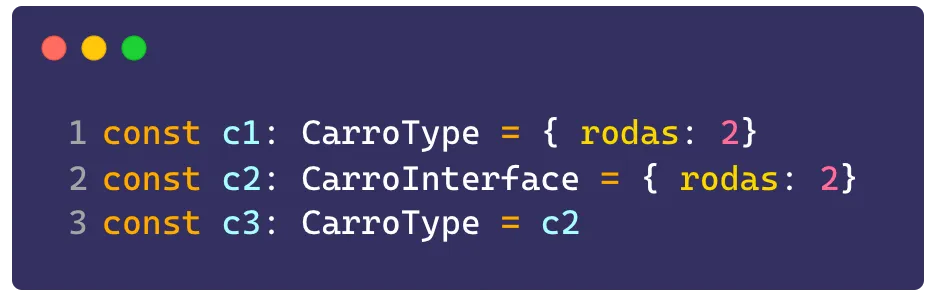
And types are interchangeable, meaning we can assign a variable to an interface and then assign that interface to a type:
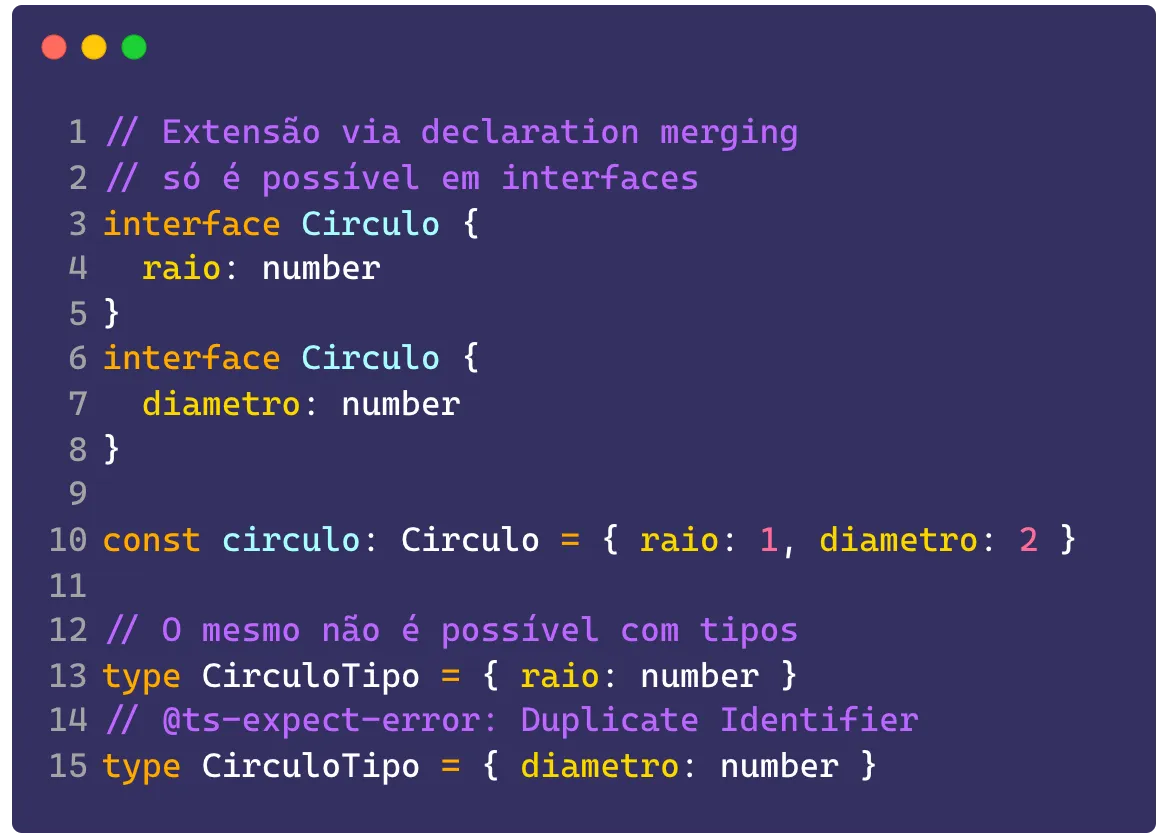
Declaration merging is only possible inside interfaces. Extension by merging, or interface augmentation, is only possible when we’re working with interfaces, because the TS compiler is going to join all identifiers with the same name under the same object. That’s not possible with types because they’re static and can only be declared once:
But that doesn’t mean we can’t extend types too, and declaration merging isn’t a good practice for interfaces because you lose track of where the declarations are. So we can extend types using the intersection operator & while interfaces can be extended with the extends keyword:
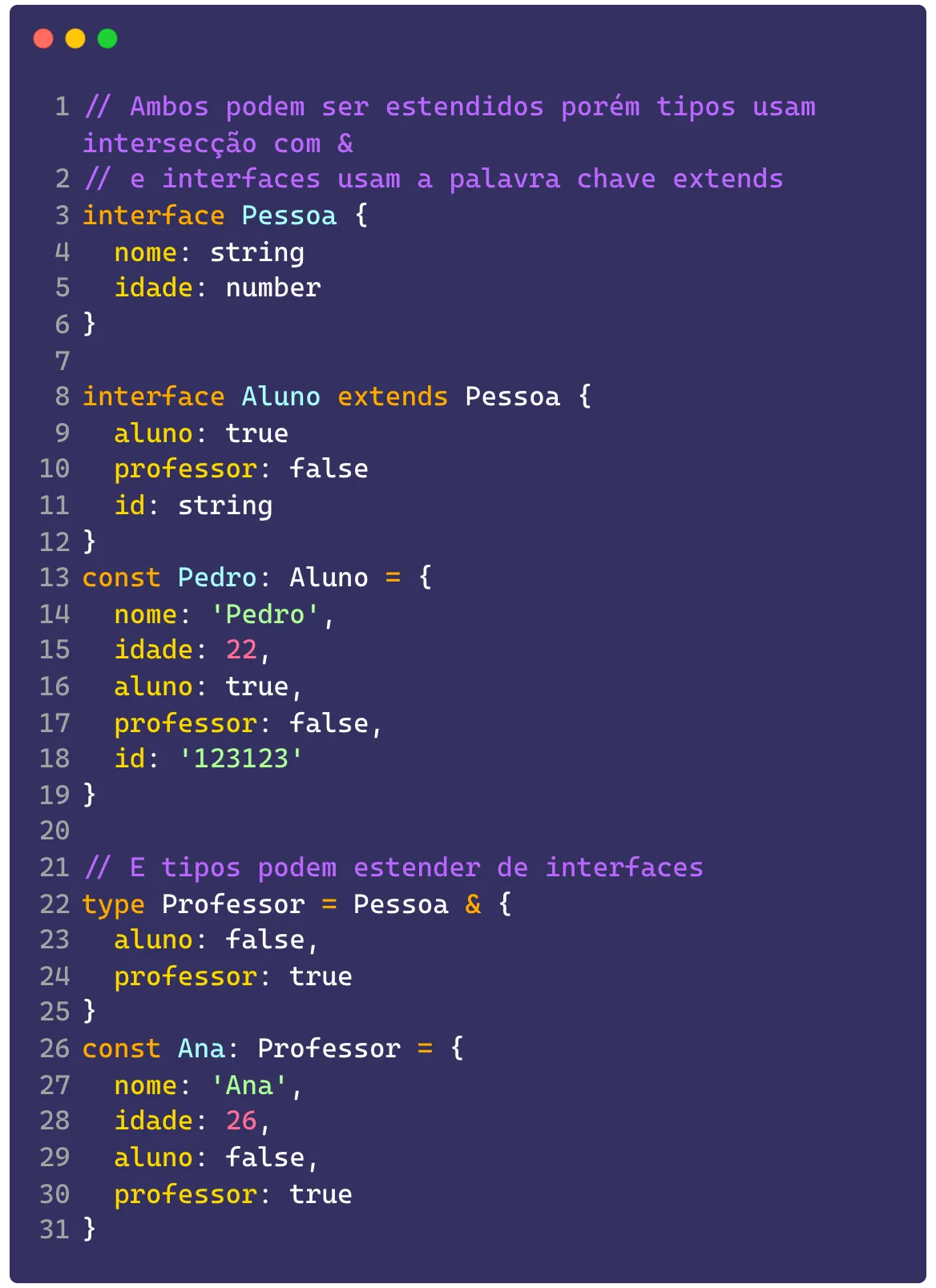
Although types are very good, they have error messages that are more cryptic than interfaces, which are made to be worked with as objects. In that case it’s much more recommended, if you have an object, to use the interface directly instead of using a type. For example in this case:
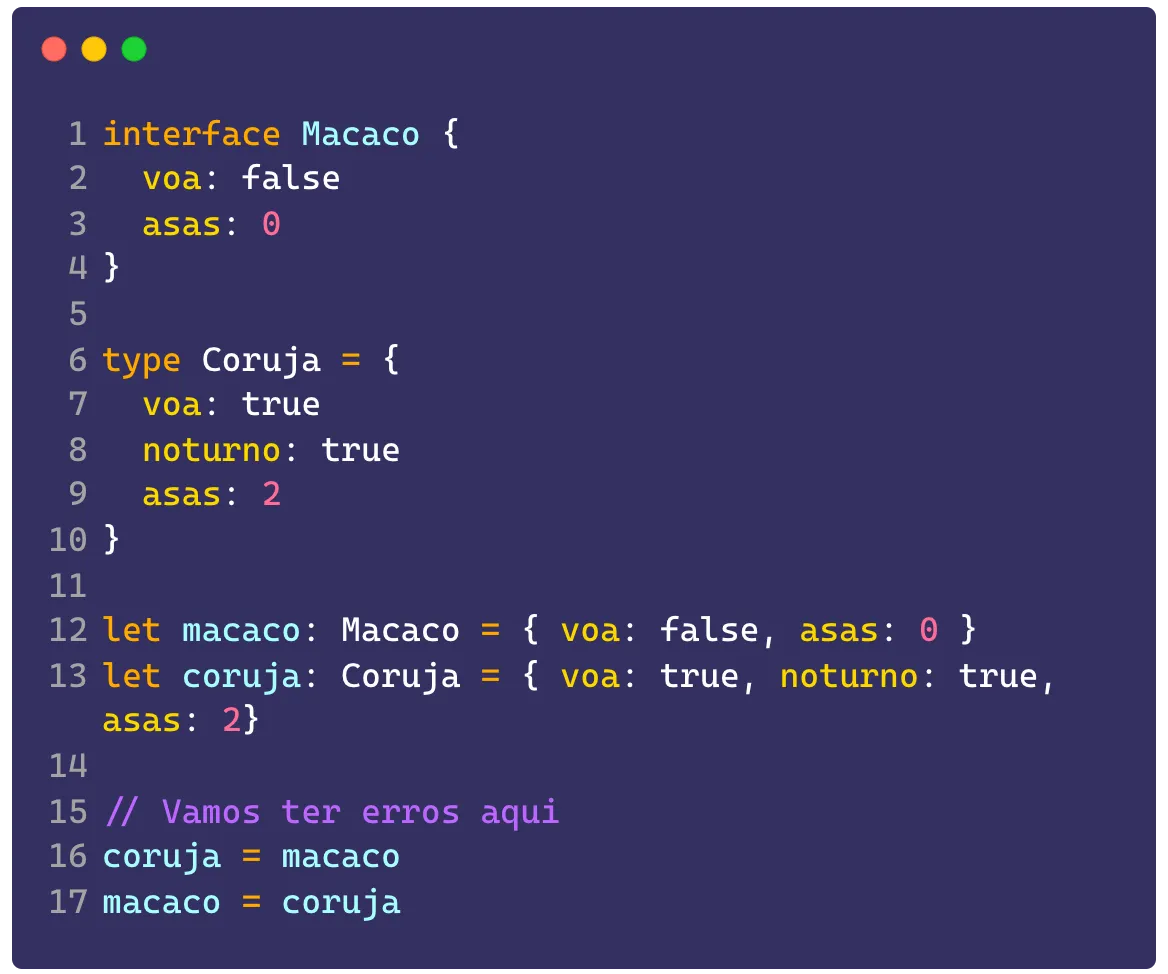
While the error we get on the type is going to be a bit harder to identify, because it’s going to be something like:
Type 'Coruja' is not assignable to type 'Macaco'. Types of property 'voa' are incompatible. Type 'true' is not assignable to type 'false'.On the other type that represents the interface (the macaco) we’re going to get a more direct error:
Property 'noturno' is missing in type 'Macaco' but required in type 'Coruja'.Another thing both can do is be used as parts of an implementation by a class, meaning we can say a class implements both a type and an interface and that class can be used interchangeably with that interface or type, which is great for creating polymorphism inside your code:
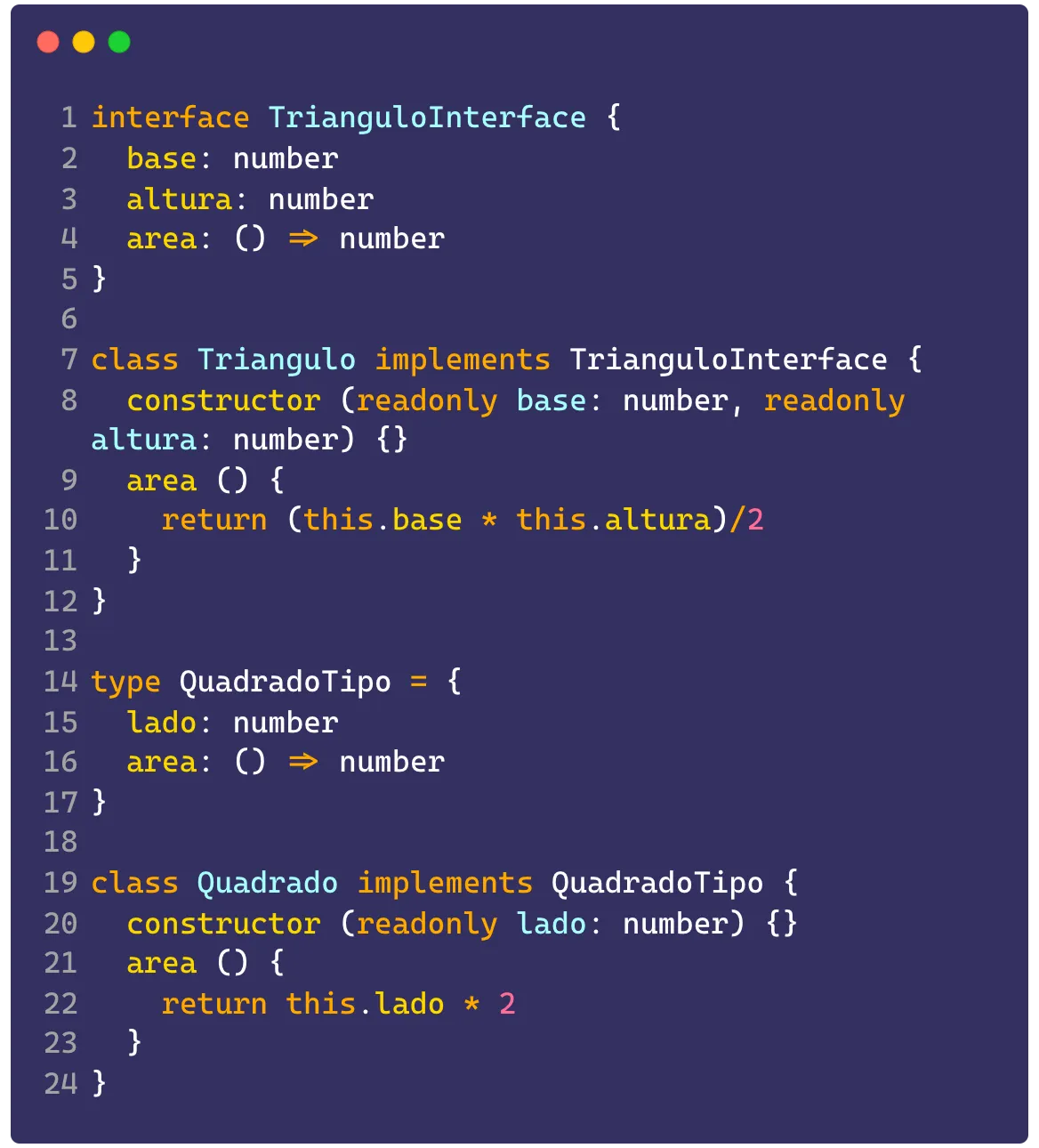
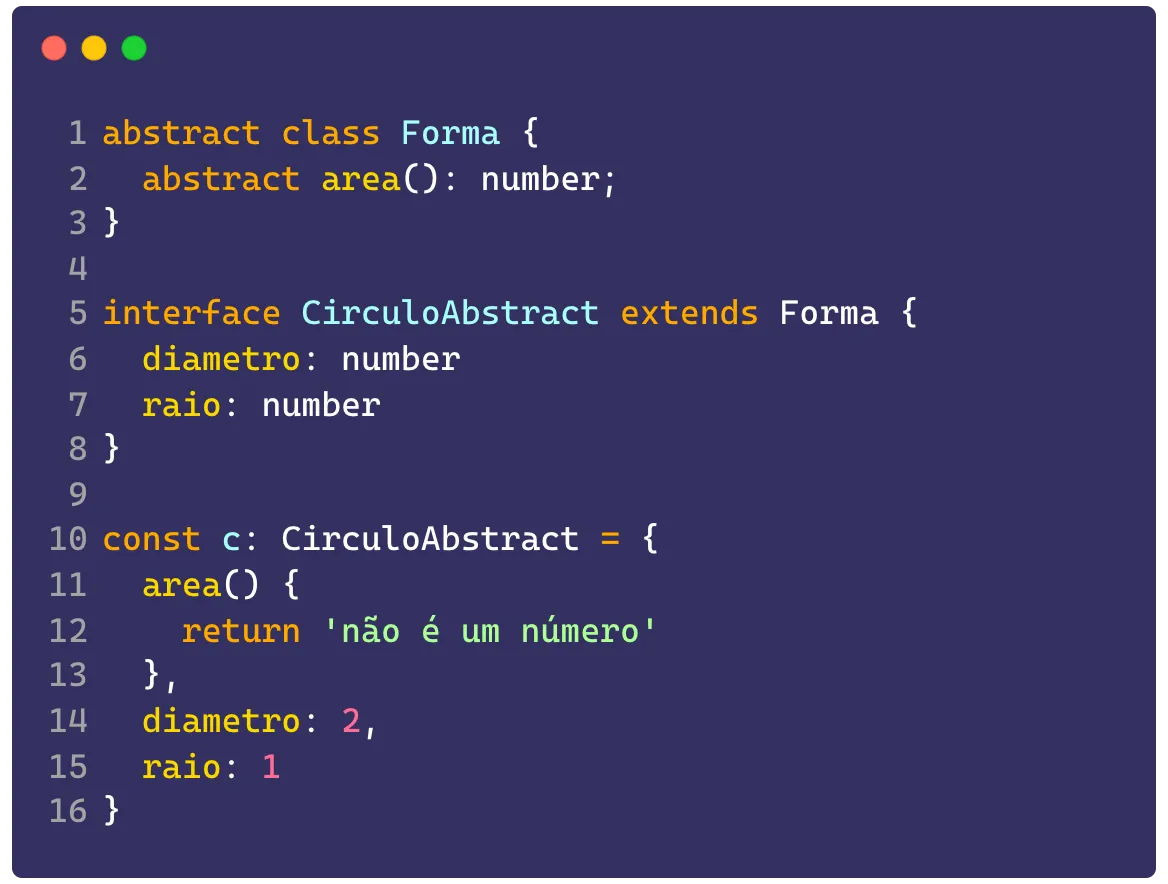
However, only interfaces can extend from classes, which is really nice when you want to create a new object from an existing object, but that new object isn’t going to be a class itself:
Unknown, Any and Never#
Let’s talk about the last practices about types, the three horsemen of the apocalypse: any, never and unknown.
Using Any#
It essentially turns off type inference. It’s the equivalent of saying that type can be anything. Any type that has a union or intersection with any is going to be inferred as any. Using any is considered one of the worst practices in TS.
That said, there are cases where the any needs to be there. Generally these cases happen when a type is completely unknown, to the point where you don’t even know what the structure of that type is.
So, without knowing the structure, we can’t use unknown, because it would force us into a type cast. So the way out is using any to type some argument that might be completely unknown. But this is STRONGLY discouraged.
NEVER use any in function returns or in interfaces that might be merged with other objects. This is because, as soon as TS picks up your function’s return, it’s going to type any variable that receives that function as any and you’re going to lose other type inferences.
But it’s really important to say that, in 99% of cases, it’s possible to replace any with any other type, and even the official documentation itself says not to use any unless you’re migrating your JavaScript codebase to TypeScript.
Using Unknown#
unknown is the way out for the cases above. The more correct sibling of any, using unknown says you don’t know what the type of that data is, so TS is going to force you to do a type casting (using dado as <novo tipo>) before you can do anything with it.
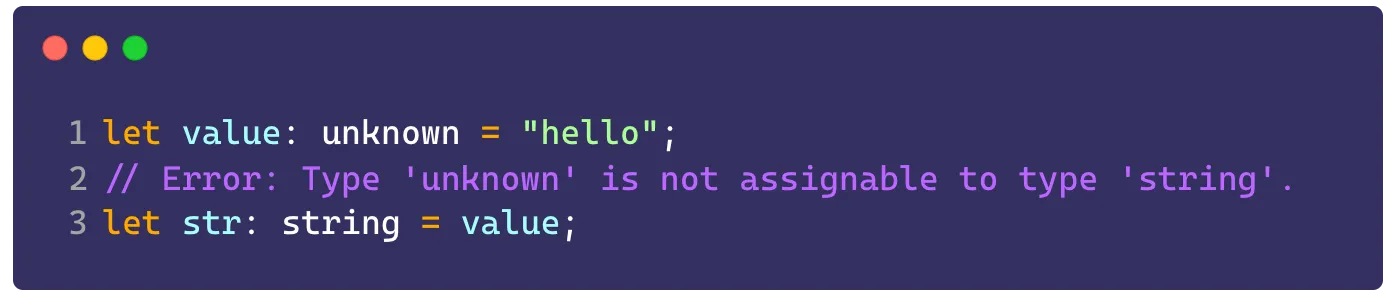
It’s the exact opposite of any, using unknown you’re going to force TypeScript to check your type before doing any operation
unknown isn’t included in any type, but unlike any, a type x = unknown & string is going to be inferred as string, because joining a set that isn’t in any other with another set is always going to be the other set. In practice, this means that if you mix unknown with any other type using intersection, it’s going to infer the other type, but in the case of a union (with |) unknown wins.
When you don’t know the result of an API call or when you want to force your user to type the return of something, you can use unknown because it’s an extremely restrictive type. For example:
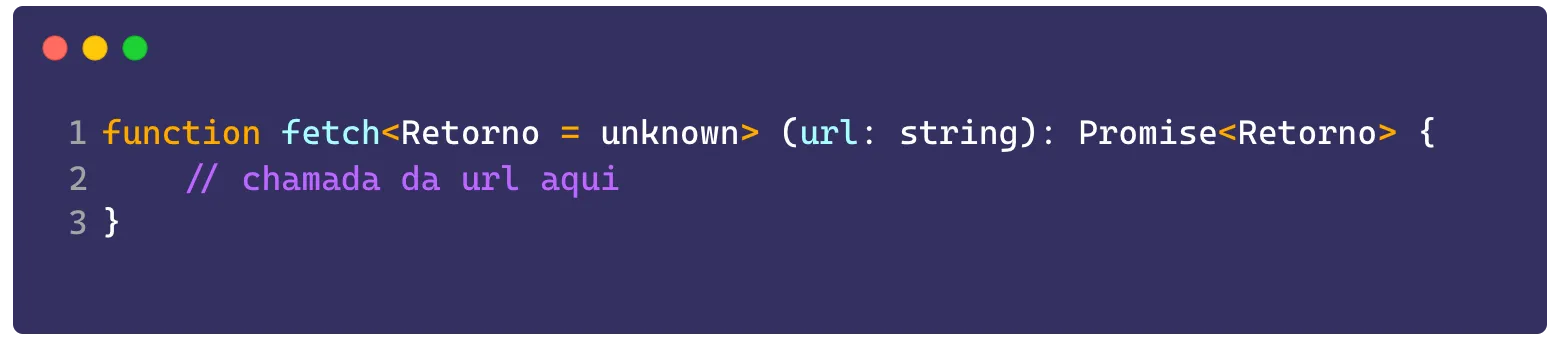
Unless the person using this function passes the return argument, the output can’t be manipulated.
Never say never#
The non-type. The never type is the type that doesn’t represent any type, it can’t be intersected or unioned with anyone, it’s itself and it represents the result of an operation that can never happen, meaning if you got to the end of a case, recursion or anything else, never is your friend because it stops that return from being mixed with anything else.
The most common uses of never are to indicate paths a function can’t go down, meaning ways it can’t be used.
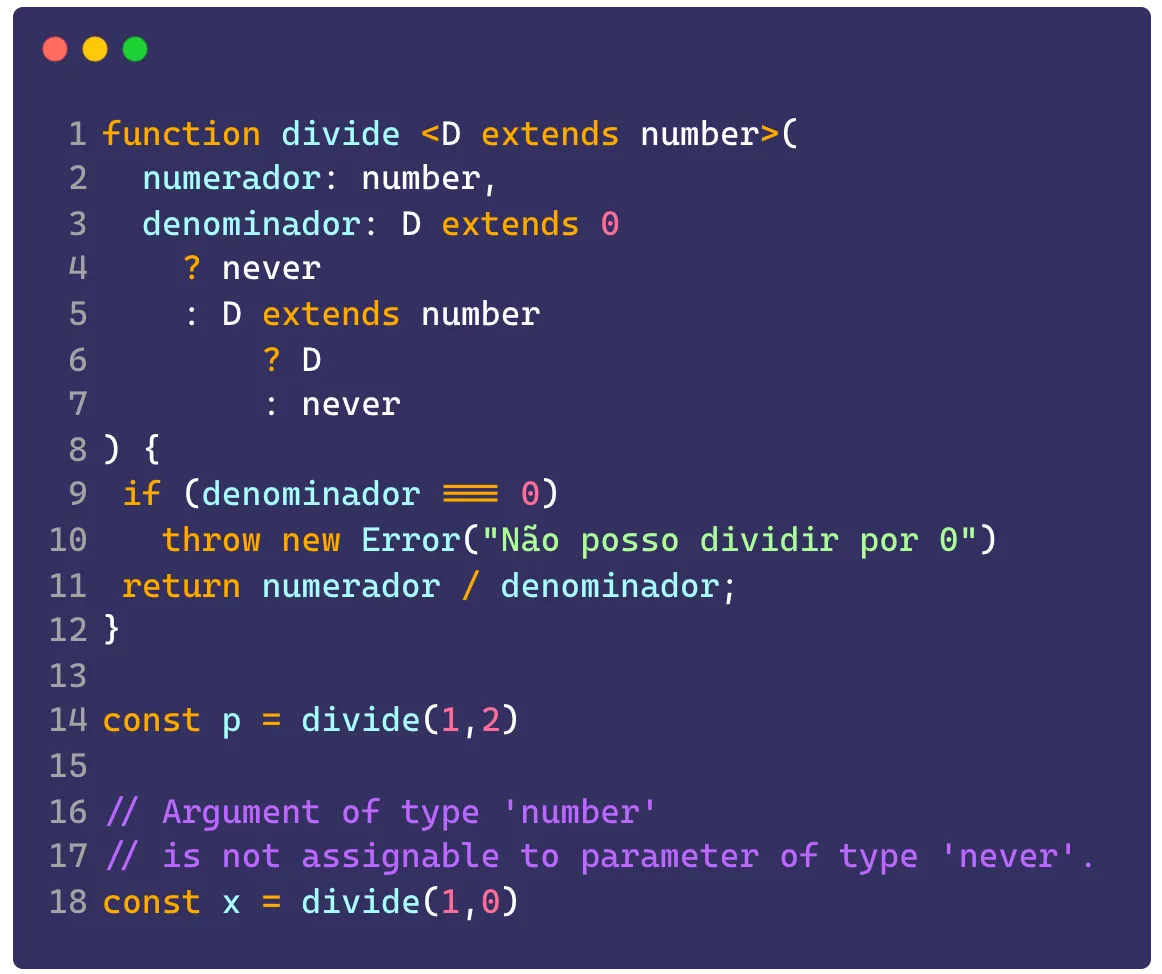
One example is using never to do a division where the denominator is zero and we don’t want that to happen. So if we have a function like this:
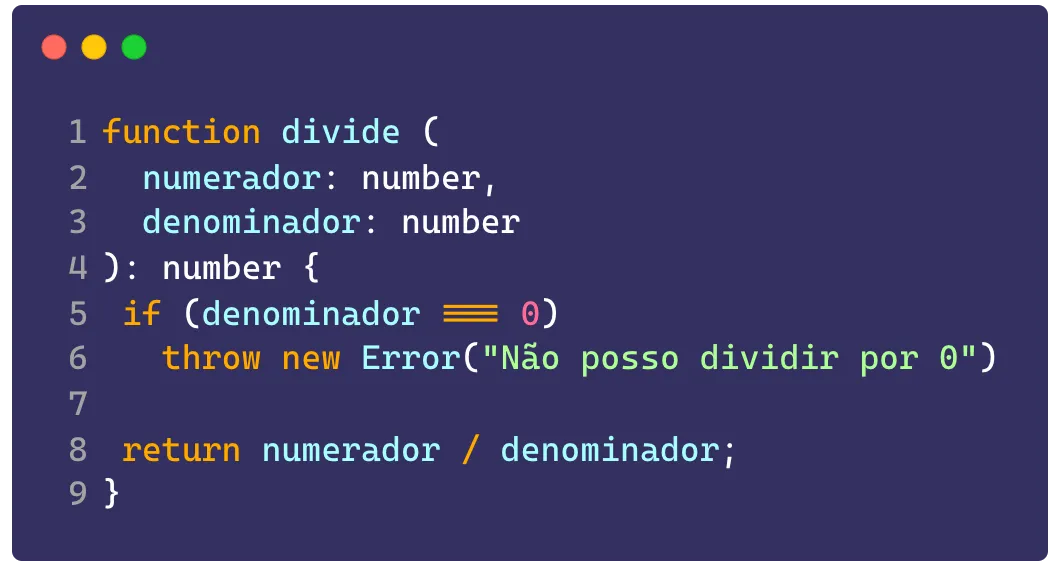
In our return we’re specifically saying that the function is always going to return a number, but we can also have an error. In that case, we can tell whoever is using it that we need to check the return value before doing an operation using never:
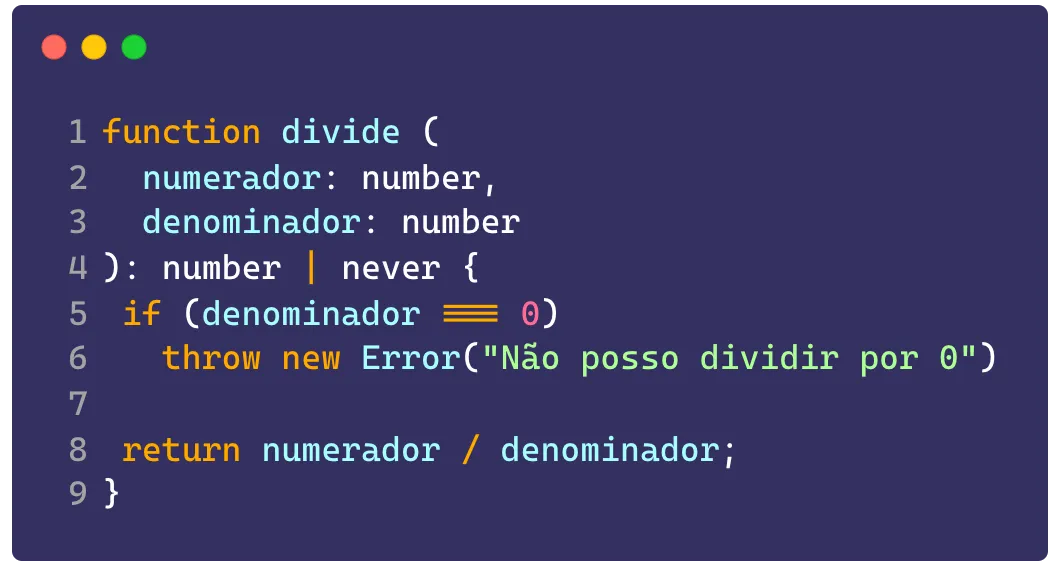
We can use several other techniques to make the function completely TypeSafe. Among them using infer (which I already explained here), doing type narrowing on our generic to guarantee we’re only going to use numbers greater than zero:
Configuration#
Beyond code best practices, there are also configuration best practices, meaning configuring the TS compiler so it can give you the best of type inference without letting you fall into traps.
Always use strict: true#
As a first recommendation, keep the strict: true option on, this is going to guarantee a series of explicit code checks the compiler is going to do by default, plus it’s the safest model and the one recommended even by the TS devs themselves.
Strict null checking#
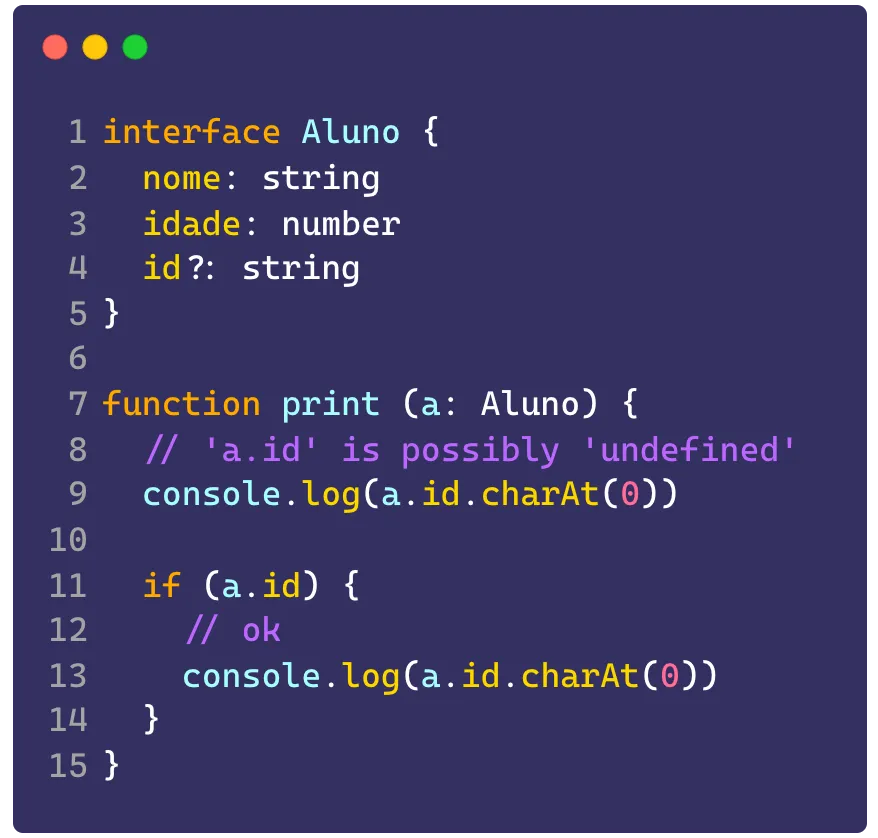
Another recommendation is turning on the strictNullChecks key, what it does is that every type that might return undefined or null is going to give you an error if you don’t check them, like this:
Going one step further with noImplicityAny#
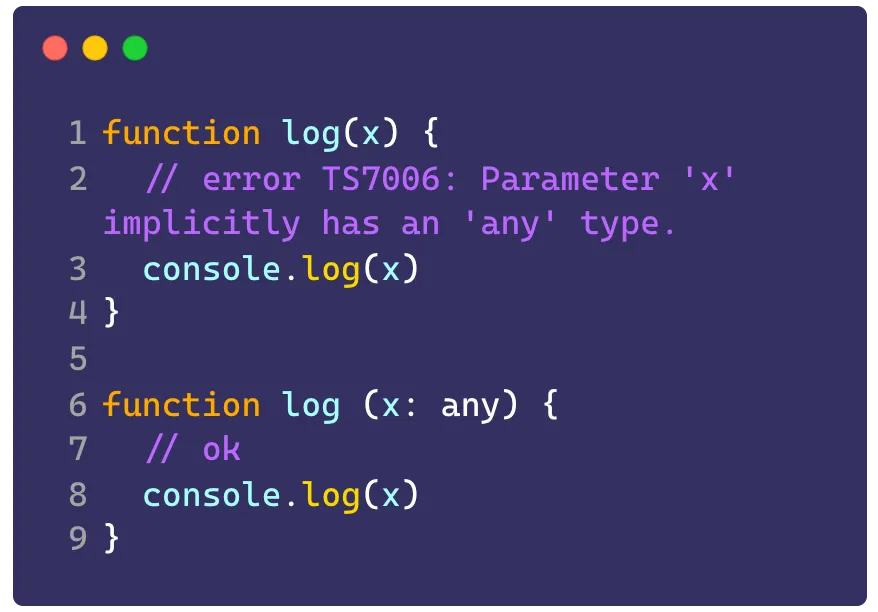
Another really important configuration that makes your project much safer is removing the possibility of TS inferring any variable as any without giving any error. As we saw before, any is the worst kind of practice to have with TS, and removing as many of them as possible is going to make your code much safer.
The noImplicityAny configuration makes TS stop being an optionally typed tool and become something that is mandatorily typed. Meaning you’re going to need to specify the type of everything that gets identified as any.
Keep in mind that this is a pretty severe option, especially if you’re migrating a platform from JS to TS, so the migration isn’t just going to be swapping file names, it’s going to need some manual changes.
Other good configurations#
noUnusedLocals: Gives an error if there are unused variablesnoUnusedParameters: Errors when there are unused parametersnoFallthroughCasesInSwitch: Forces the use ofbreakinswitch / caseto prevent onecasefrom falling through to the nextnoUncheckedIndexedAccess: Any object accessed by index (example:obj['indice']) is going to have its value inferred as<valor> | undefinedbecause it might be empty and will need to be checked.
For you to practice#
Before sending the next challenge, let’s go over the previous one! Where we had to type this file. You can find the answer here!
Now let’s see if you got the code best practices down with two exercises:
- Create a type called Flatten, which accepts a generic parameter that can only be an array of a single type (a
string[]for example) and it should return the array’s type (for examplestring). - Challenge: Implement the
FlattenDeepfunction which accepts arrays of any dimension (for example astring[][]) and extracts the value that exists in the array (astring[][]would bestring). - Implement a generic interface for a geometric shape containing
areaandvolumeas functions, and implement that interface to create the concrete classesQuadrado,CirculoandTriangulo
Don’t forget to leave your feedback about #SemanaTS here in this form!
Footnotes#
-
Actually, this is the way the browser’s native
fetchis implemented. ↩ -
neveris much more common in libraries and other typings that get extended by other people, you’re rarely going to have to use it manually in production code. ↩ -
All the options I’m going to talk about here go inside the
compilerOptionskey in yourtsconfig.json. ↩ -
Turning this option on is going to automatically turn on the following options and several others. ↩
-
If you’re up for using TS the way it was meant to be used, you can turn on an ESLint configuration called
noExplicitAny, which is going to stop you from usinganyanywhere. ↩