Using Jest with TypeScript
In another article here on the blog I talked about how we get started with the Node.js Test Runner to write our tests. Many people have sent me messages asking what the difference is between Node Test Runner and Jest, and how we can get started with Jest and TypeScript.
Since this is a topic I constantly have to look up too, because the ways to do this change every day, I’ll create this article with what I think is the most common way to do it and with the fewest steps possible.
If you want to take a look at a ready-made repository with Jest and TypeScript, I suggest you check out our project 3 from Formação TS.
Setup#
First of all, the main difference between the Node Test Runner and Jest initially is the fact that Jest requires much more configuration than Node’s native runner. This is mainly because it’s much older, from a time when Node had far fewer features than it does today and TypeScript was still in its infancy.
Jest was “officially” released in 2016, but it already existed for several years before that internally within Facebook. It was originally created as a way to test React applications without needing much configuration, which is ironic because nowadays Jest’s configuration is the biggest problem with the library.
First of all, I’ll assume you have a folder somewhere on your machine. Mine will be called jest. In it, I just ran npm init -y to initialize a Node.js project.
Let’s install TypeScript with npm i -D typescript @types/node and run npx tsc --init to initialize TypeScript as well.
Now let’s install Jest with npm i -D jest @types/jest. This is my package.json so far:
{ "name": "jest", "version": "0.0.1", "main": "index.js", "scripts": { "test": "echo \"Error: no test specified\" && exit 1" }, "keywords": [], "author": "Lucas Santos <hello@lsantos.dev> (https://lsantos.dev/)", "license": "GPL-3.0", "description": "", "devDependencies": { "@types/jest": "^29.5.12", "@types/node": "^20.14.2", "jest": "^29.7.0", "typescript": "^5.4.5" }}Pay attention to the package versions. Since Jest is an actively maintained package with many updates (and, unfortunately, some of them not backward compatible), it’s highly likely that future versions won’t work the same way as in this article.
Now, let’s run the Jest initialization command with npm init jest@latest (or jest@yourversion). This script will ask you a series of things:
- Do you want Jest to update your package.json to add the test command: Y
- Do you want to use TS in the configuration file: Y
- What is the test environment: Node
- Do you want code coverage: Y
- What code coverage provider: We’ll use v8 here, but you can use babel; it won’t make much difference
- Clear all mocks after each test: N
This will create a file called jest.config.ts in your root. The entire file is much larger because it has all the options commented out. I’ll only show the active options here:
/** * For a detailed explanation regarding each configuration property, visit: * https://jestjs.io/docs/configuration */
import type {Config} from 'jest';
const config: Config = { collectCoverage: true, coverageDirectory: "coverage", coverageProvider: "v8",};
export default config;With that we should already have a jest command available. But if we try to use this command on any test file, like this one:
describe('Suite', () => { it('should pass', () => { expect(1).toBe(1) })})It won’t work because our configuration file is TypeScript and Jest doesn’t know how to read TypeScript. And it will give us this error:
Error: Jest: Failed to parse the TypeScript config file /jest/jest.config.ts Error: Jest: 'ts-node' is required for the TypeScript configuration files. Make sure it is installedError: Cannot find package 'ts-node' imported from /jest/node_modules/jest-config/build/readConfigFileAndSetRootDir.jsApplying TypeScript#
To apply TypeScript to Jest, we’ll do what the error we got above told us to do: install ts-node. We can do this with npm i -D ts-node. Now we can use Jest to run our test in JavaScript using npm test:
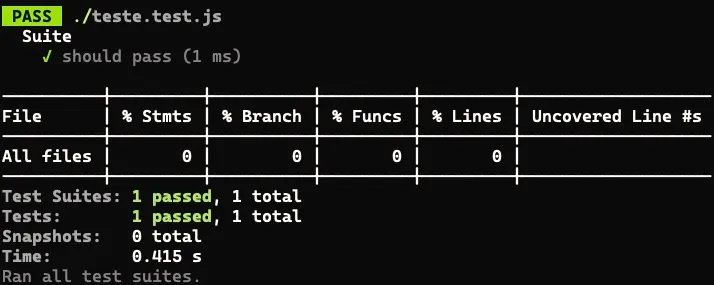
And what if we change this test to TS? So if we keep the test as is and only change the extension to teste.test.ts, everything should work normally. Of course, the content is still JavaScript. What happens when we use TypeScript inside it? Let’s modify the test a bit:
import { randomUUID } from 'node:crypto'
describe('Suite', () => { it('should pass', () => { expect(randomUUID()).toEqual(expect.any(String)) })})Without changing anything else, let’s run npm test, and we’ll get a bunch of errors. This is because Jest isn’t using TS-Node to parse the test file, just babel directly. So we need to configure babel to do this for us. But adding all babel configuration manually is pretty tedious.
Plus, Babel configuration is purely transpilation. We won’t have type checking or source maps. We’ll use a package called ts-jest that does exactly this.
First let’s install npm i -D ts-jest. The version I have here is 29.1.5. Now let’s add the configurations we want to our jest.config.ts file, which are basically:
- Change the configuration type to the extended type that
ts-jestadds - Add the preset we want
Our jest.config.ts looks like this:
import type {JestConfigWithTsJest} from 'ts-jest';
const config: JestConfigWithTsJest = { preset: 'ts-jest', collectCoverage: true, coverageDirectory: "coverage", coverageProvider: "v8",};
export default config;Now, if we run our test, it will work normally. But what if we make a small change and want to use ESM?
Using ESModules#
I always recommend that we use ECMAScript Modules in all the applications we develop. If you’re not using this feature, then this section of the tutorial won’t make any difference to you. What you’ve already done is more than enough to maintain a TypeScript application with Jest.
But if you want to learn how to use what will eventually be the only way to write TypeScript, I recommend you start using ESM now!
To start, let’s change our package.json and add a type: "module":
{ "name": "jest", "version": "0.0.1", "main": "index.js", "type": "module", // << Here "scripts": { "test": "jest" }, "keywords": [], "author": "Lucas Santos <hello@lsantos.dev> (https://lsantos.dev/)", "license": "GPL-3.0", "description": "", "devDependencies": { "@types/jest": "^29.5.12", "@types/node": "^20.14.2", "jest": "^29.7.0", "ts-jest": "^29.1.5", "ts-node": "^10.9.2", "typescript": "^5.4.5" }}Now let’s go to our tsconfig.json file and modify two options, module and moduleResolution. Both will be NodeNext, and we’ll change target to ESNext. These configurations will look like this:
{ "compilerOptions": { "module": "NodeNext", "moduleResolution": "NodeNext", "target": "ESNext' }}If you run npx tsc, this command should create two files: a jest.config.js and an unchanged teste.test.js. This means everything worked. Now for the tests? If we run them, they’ll pass normally, but what if I tell you that’s wrong?
Something interesting about Jest with ESM is that it can resolve all of Node’s internal packages normally, because those packages have no extension. For example, when we import randomUUID, we import from node:crypto. But if we import from another file, that file must have the .js extension. However, this won’t happen because in our source file, we’ll only have the .ts file. For example, let’s create a new file sum.ts in the root with the following content:
export const sum = (a: number, b: number): number => a + bIf we modify our test to import and test this function, we’ll get an error:
import { sum } from './sum.js'
describe('Suite', () => { it('should pass', () => { expect(sum(1,1)).toBe(2) })})The error will say that the file cannot be found, even if we change it to sum.ts.
ESM with TypeScript and Jest#
To properly configure Jest, we’ll need to add some additional configurations to our configuration file:
import type { JestConfigWithTsJest } from 'ts-jest'const config: JestConfigWithTsJest = { collectCoverage: true, coverageDirectory: 'coverage', coverageProvider: 'v8', preset: 'ts-jest/presets/default-esm', testPathIgnorePatterns: ['/node_modules/'], transform: {}, moduleNameMapper: { '^(\\.{1,2}/.*)\\.js$': '$1' }, testEnvironment: 'node'}
export default configThe most important configurations here are preset, which is now set to default-esm, the default configuration for ts-jest to read ESM. The transform, which must be an empty object to disable any native TypeScript transformation by Jest.
And what will make Jest find the .js files is the moduleNameMapper, where we’re defining a RegExp to take any path we define and change it to .js. It’s worth noting that this option is only needed when you’re using the paths or baseUrl option in tsconfig, but I like to add it anyway because it sets us up for future options.
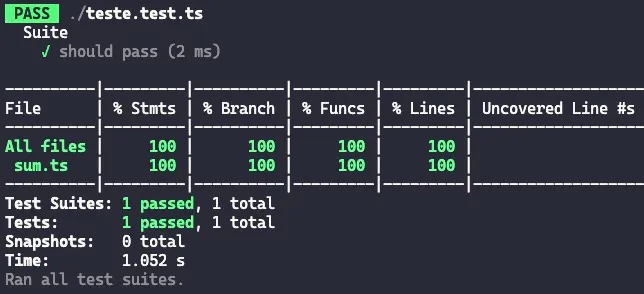
Now, if we run our test, everything will be working perfectly: