"Will JavaScript stop being single-threaded? Understanding Module Expressions"
We grew up hearing as developers that JavaScript is a single-threaded language, meaning we only have a single process and we cannot leave it. This proved wrong a few years ago when new APIs like Web Workers and Service Workers were created.
Additionally, all extensions of JavaScript were considered single-threaded. How many times have you heard someone say that Node.js is single-threaded? That is also not true, although the set of APIs and the infrastructure behind Node are not the same as the Web.
Now we are taking a step forward with this idea with the Module Expressions proposal that reached stage 3. If you don’t know how JavaScript works, in this video I explain a bit more about the process of launching new JavaScript features. If you haven’t watched it yet, I strongly recommend it so you can understand better how everything works.
The problem#
When we want to run some kind of asynchronous computation in JavaScript, using some API (or even in another browser window) we encounter a problem that is essentially inherent to how JavaScript was built. Because it is an environment that was designed to run on a single thread, often these APIs do not allow memory sharing between, for example, a Web Worker and the main page.
An example of this is when we need to run user code inside a controlled environment, a sandbox. For this we can create a web worker (or even a Shadow Realm that will ensure that the same memory space is not shared, which is a good thing. But how do we pass this function to this new “realm”?
Some libraries that implement multi-threaded execution patterns, like ParallelJS and Greenlet, use an interesting strategy: Transform the code into a string or a blob so that it can be sent via message to the executor.
Once the code is on the other side, it is necessary to eval that code to be able to get the result. But this brings some problems, mainly, as you can imagine, of security through CSPs (Content Security Policies) which are already naturally complex and end up becoming even more complicated with more than one thread.
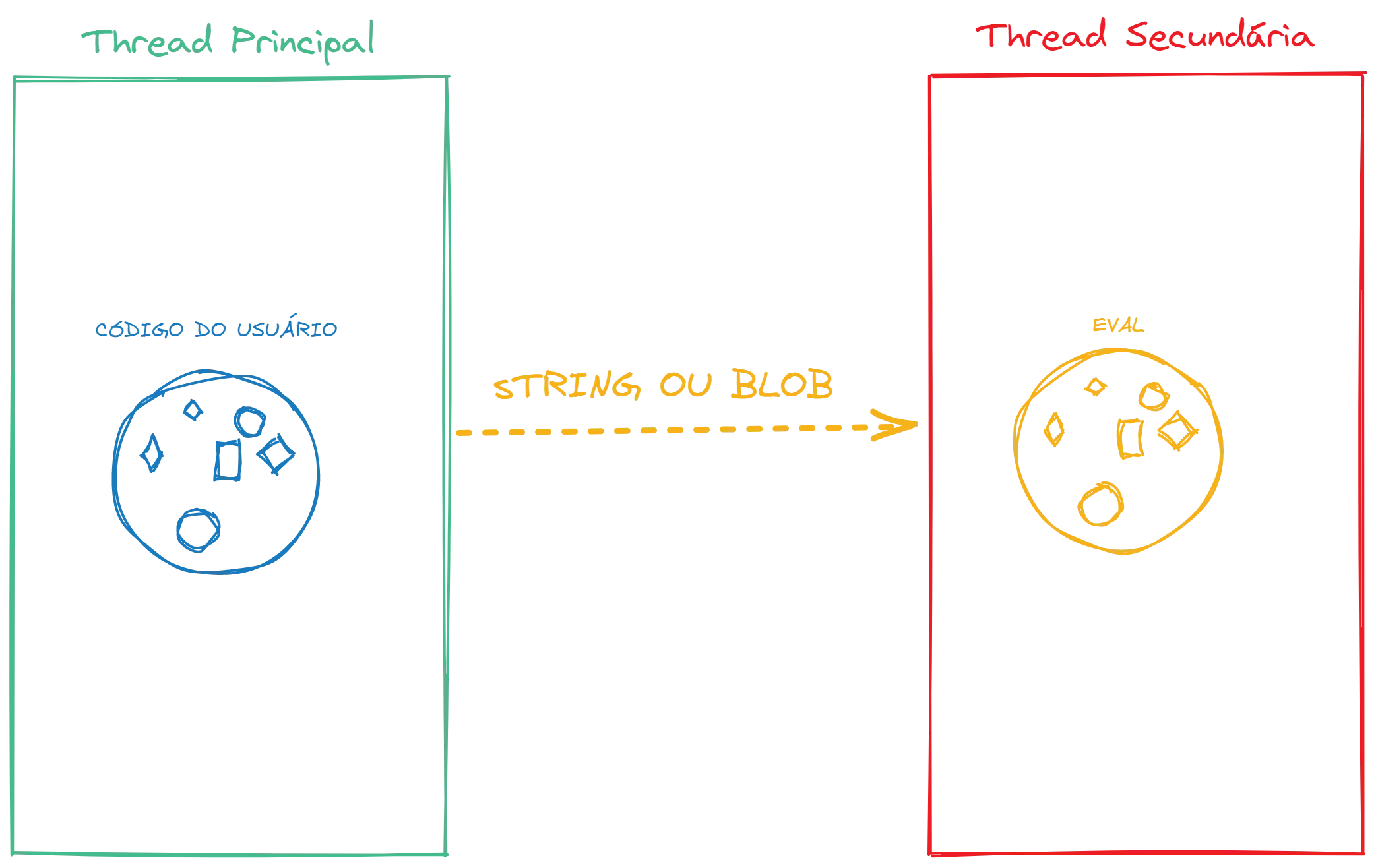
Beyond this problem, we have another that is even greater: The code loses the execution context. This means that code like this example from the proposal:
import greenlet from 'greenlet'
const API_KEY = "...";
let getName = greenlet(async username => { let url = `https://api.github.com/users/${username}?key=${API_KEY}` let res = await fetch(url) let profile = await res.json() return profile.name});It has a serious execution problem, which is the loss of the reference to the API_KEY variable because when the code is executed on the other side, it won’t know what that value is because it doesn’t exist in that context. And since Greenlet passes everything to a string, it also doesn’t check the file to substitute the value from one side to the other.
Among other problems, the most common solution is to use another file with the necessary code and execute what is described there, which would not work in our context above and is also a big developer experience problem because we have bundlers, which in the end will put everything in one place again.
The solution#
What if we could package a module, literally create a sequence of lines of code that would have context and semantics, and pass it to our worker or our thread so that we wouldn’t need any kind of string or blob?
That’s where Module Expressions come in.
The idea of Module Expressions is quite simple and very similar to Do Expressions that I already covered here on the blog. This would be an example of implementation:
let mod = module { export let y = 1;};let moduleExports = await import(mod);assert(moduleExports.y === 1);
assert(await import(mod) === moduleExports);The big insight is that instead of having to send the content via string, we can send a module that will be assigned on the other side as a module object, not through a string. And that’s it, there’s not much more to say.
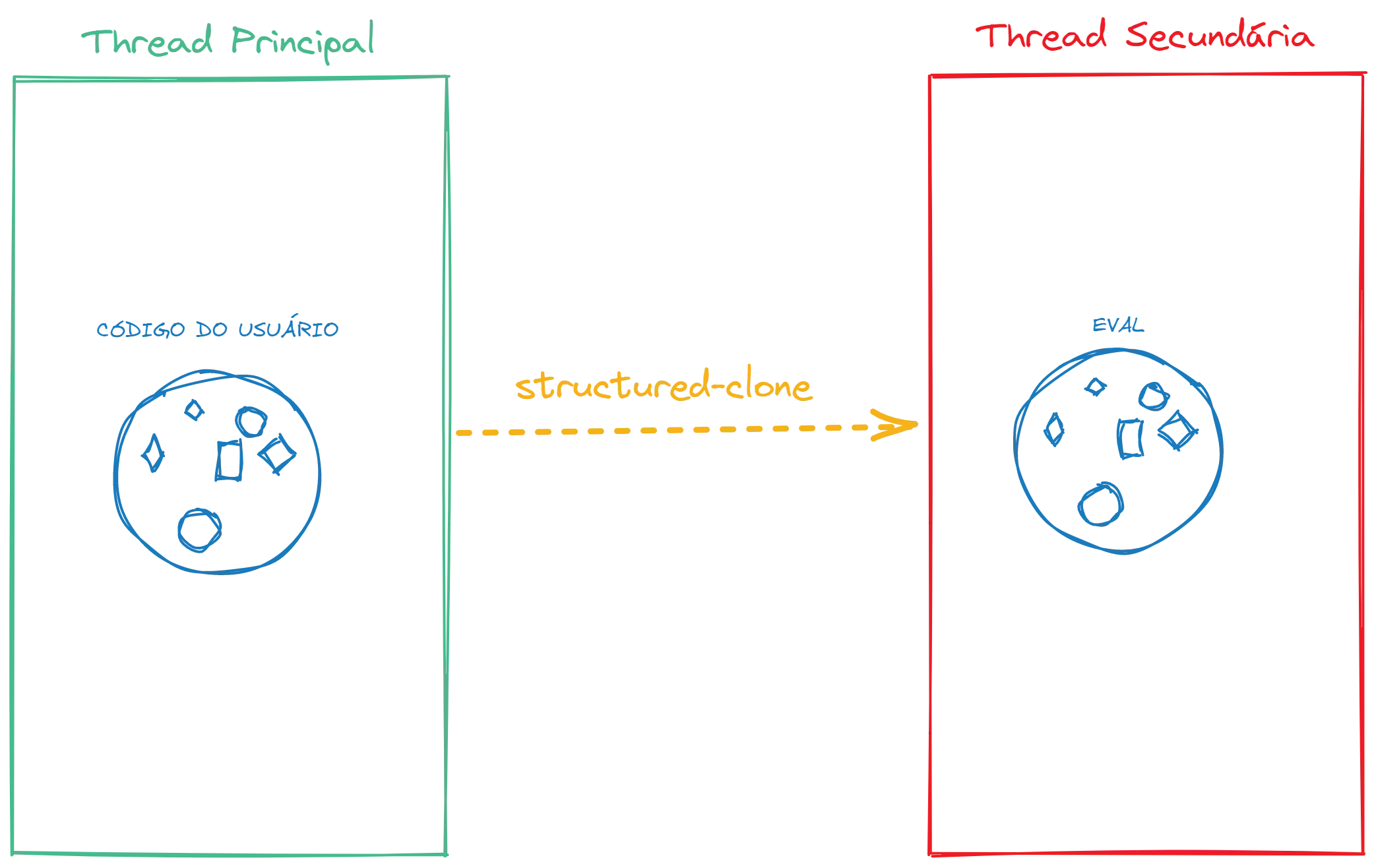
Some details we must always remember is that this type of object can only be imported through dynamic imports, when we use import() and not through the import statements we have at the top of the file because we cannot use a string to access the content of this module, since it is being created at runtime.
Additionally, because they can only be imported at runtime, they rely on the asynchronous nature of import() because a module can import another module over the network.
Context#
The context of a Module Expression is the context where they are syntactically located, that is, the location where the code is within the file. This example helps clarify everything:
// main.jsconst mod = module { export async function main(url) { return import.meta.url; }}const worker = new Worker("./module-executor.js");worker.postMessage(mod);worker.onmessage = ({data}) => assert(data == import.meta.url);
// module-executor.jsaddEventListener("message", async ({data}) => { const {main} = await import(data); postMessage(await main());});See that we are declaring an expression that uses import.meta.url. In the context of this expression, the value will be the URL of the main.js file. When we create a new worker from another file and send the module via message, we will see that the return of await main() will be the same URL because we are not in another context.
Essentially, the idea is to be able to transport code with the local context to another context without losing any kind of information. Together with ShadowRealms, we have a quite powerful API that allows us to run code from where we are without the problem of losing information:
globalThis.flag = true;
let mod = module { export let hasFlag = !!globalThis.flag;};
let m = await import(mod);assert(m.hasFlag === true);
let realm = new ShadowRealm();let realmHasFlag = await r1.importValue(mod, "hasFlag");assert(realmHasFlag === false);Conclusion#
One of the most interesting uses of this proposal is to create what is called an off-thread scheduler, a function that receives a module and executes that module in another thread without sharing resources.
The proposed syntax for this is as follows:
let workerModule = module { onmessage = async function({data}) { let mod = await import(data); postMessage(mod.default()); }};
let worker = new Worker({type: "module"});worker.addModule(workerModule);worker.onmessage = ({data}) => alert(data);worker.postMessage(module { export default function() { return "hello!" } });Pay attention to new Worker({type: 'module'}) and the worker declaration already with the module expression inside on the last line.
With this we wrap up another summary about Block Expressions, but unfortunately, as the proposal is long, much content was left out to avoid making the article too long. So I suggest you also read the original proposal to get an even better understanding.