Deno KV on NPM - the database you needed and didn't know it
We already discussed Deno KV here in the past, but the big difference is that this database only worked on Deno, until now!
The team just announced the Deno KV package for NPM! Allowing any Node.js user to use the database too, even though it was already possible with the binary of KV being published standalone.
What is KV#
As we’ve discussed here before, I won’t go into detail explaining it.
Deno KV is a key-value database (hence KV), meaning it stores keys as strings and values that can vary in formats, but it’s possible to store arrays, objects, and other primitives.
The big advantage of Deno KV is that it’s fully included in Deno, so you can create and access a database directly with:
const kv = await Deno.openKv()And even if you don’t have a URL, if the project is on Deno Deploy, then it will be able to resolve the database and give you a complete database with automatic replication.
The problem is when you’re not on Deno.
Using KV on Node.js#
To use KV on Node, we can do the simplest way first, using the in-memory database! We just need to install the package using:
npm install @deno/kvThen create a JS or TS file with the following content:
import { openKv } from '@deno/kv'
const kv = await openKv('')await kv.set(['key'], 'value')console.log(await kv.get(['key']))/** * { key: [ 'key' ], value: 'value', versionstamp: '00000000000000010000' } */Running KV in memory is one of the cool things we can do with the Node.js package, and it’s a feature you can use instead of maps and other things to, for example, create automated tests, or even local caches.
SQLite#
By default, when running locally, KV will create a local SQLite instance, which is great for projects where persistence is needed (since we can also use KV for ephemeral data, like caches, nonces, etc).
To create a database using SQLite, just pass the database name in the first parameter:
import { openKv } from '@deno/kv'
const kv = await openKv('sqlite.db')await kv.set(['key'], 'value')console.log(await kv.get(['key']))/** * { key: [ 'key' ], value: 'value', versionstamp: '00000000000000010000' } */The only difference is that KV will create a local database in a file:
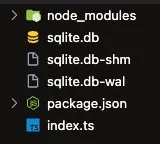
You can also self-host using this project to create a database on your own infrastructure using the same API and Deno KV backend, but with SQLite.
Connecting to an online instance#
You can also pass a connection to the database hosted on the web. First of all, you need an access token. You can create one by following this documentation video:
And then create a database in a project, there are two ways to do this, the first is how the documentation shows, through a playground.
To do this, you can create a blank project on Deno Deploy following this documentation video:
The second is by creating a common project going to the projects tab on deno deploy:

Then create a blank project:
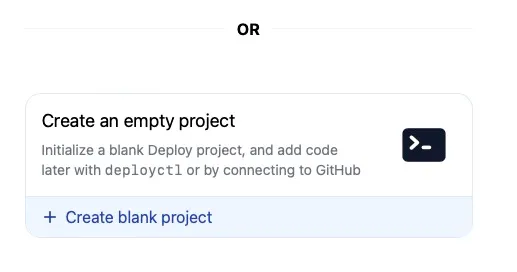
Go to the address bar and add /kv to the URL, you’ll land on this page:
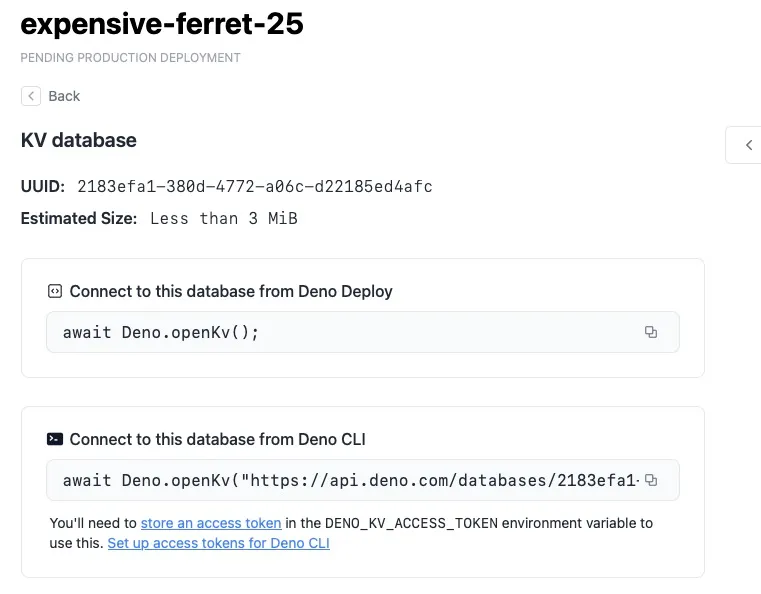
Just copy the command line here and paste it into your application, followed by your access token!
import { openKv } from '@deno/kv'
const kv = await openKv("https://api.deno.com/databases/UUIDAQUI/connect", {accessToken: 'SEUTOKEN'});await kv.set(['key'], 'value')console.log(await kv.get(['key']))/** * { key: [ 'key' ], value: 'value', versionstamp: '00000000000000010000' } */It’s safer to set an environment variable called
DENO_KV_ACCESS_TOKENwith your token to prevent data leaks.