Cronjobs in the cloud with Deno Cron
Continuing with our Deno news, this time I want to bring something that I personally have needed many times but never found a solution for: cronjobs!
Cronjobs are processes that run repeatedly at a predetermined interval. The idea is simple, and they are widely used for many things, for example, scheduling actions that should happen at a specific time such as social media posts, or even credit card processing, they are the famous batch jobs.
The problem#
As simple as the idea is, cronjobs have an inherent problem with how they work. Because you need to run something from time to time, the only way to know when it needs to be executed is to have a system that will watch the date and check if there are jobs to be executed at that time.
This requires a machine that is always on, checking periodically (usually every minute) if there is something it can do. The problem with this is twofold:
Cost#
Keeping a machine on all the time, no matter how small, costs money, especially if you choose larger cloud providers.
To reduce this, many people prefer to have a machine they already owned, like an old laptop, a media server, a NAS, or, as I’ve done, have a Raspberry Pi connected running the system Cron (or Systemd).
But then you have another problem: security and networking, how do you expose a machine like that to be accessible from outside, VPNs maybe? But what about security?
All these problems end up having solutions, but it’s a lot of work for something that is sometimes very small.
Wasted computation#
The vast majority of watchdog or daemon type services will not execute anything during 90% of their runtime. That is, if we have a system that is a cron, chances are that in 90% of the cycles that this application is running, nothing is happening.
This is wasted computation, but it is still paid computation that connects directly to what we talked about before, to solve this we could use Serverless, but then we have another problem because Serverless is not executed if there is no event that executes that function, so we go back to the virtual machine problem.
The solution#
Fortunately there are services that offer online crontabs, but they are all paid and generally don’t have a very good user experience, that was until Deno Cron.
Deno Cron is the newest addition to the Deno Deploy family, it allows the inclusion of cronjobs that run in a serverless environment directly in the application deploy. And it’s as simple as:
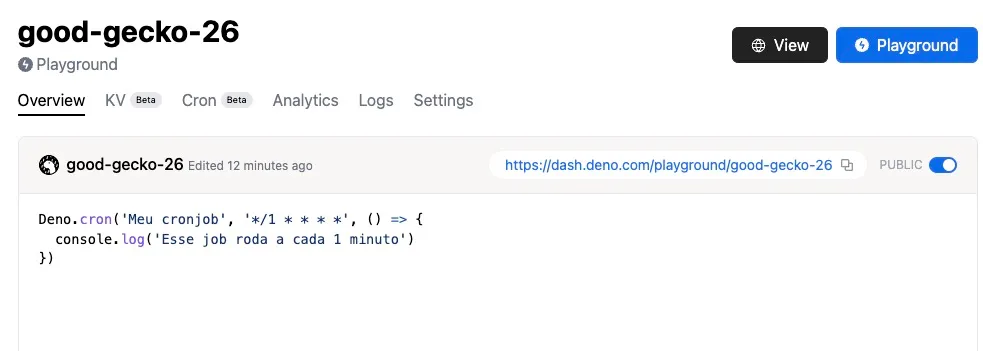
Deno.cron('Meu cronjob', '* * * * *', () => { console.log('Esse job roda a cada 1 minuto')})The first parameter is the name of your job. This name is important because it is the key that will prevent other cronjobs from being created with the same name, and it is also the name that will appear in the panel.
In the second parameter we use a syntax the same as crontab (which you can get from sites like crontab.guru) and the third is our function.
Locally this cron will behave as if it were a setInterval, but in Deno Deploy it will have its own tab, like this one I created in the deno playground:
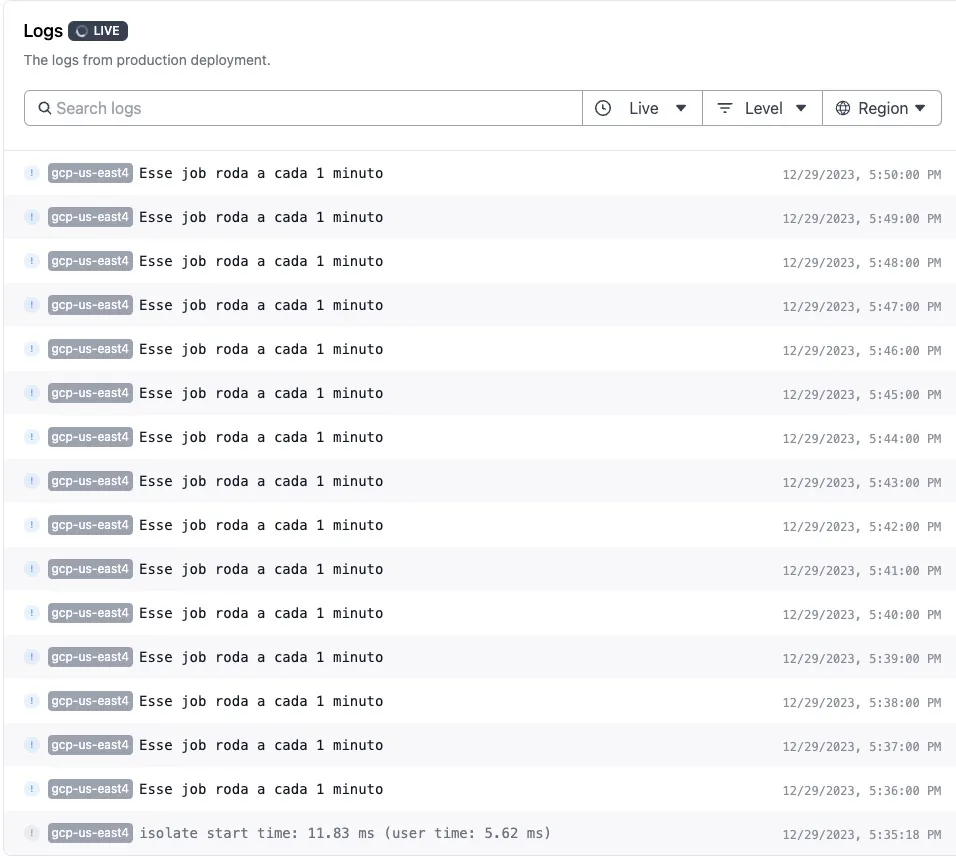
If we open the Cron tab at the top, we will see all executions of the Cronjob, as well as the logs in the logs tab:
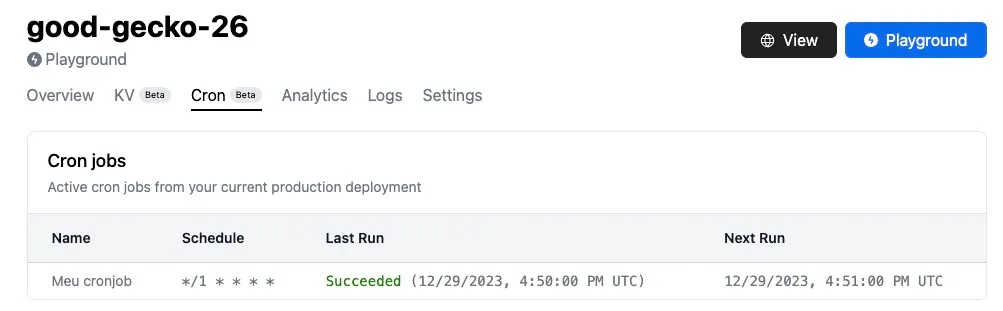
The cron shows only the last execution of each defined cronjob, while the logs show everything that happened:
To remove a cronjob, just remove the code and deploy again.
It is important to say that jobs do not overlap, that is, if one job is already running when the other starts, it will be skipped.
Error handling#
Deno Cron already comes with an exponential backoff error handling system, so it is very simple to create retries, you just pass the backoffSchedule option with an array of times in milliseconds, for example:
Deno.cron( 'Meu cronjob', '* * * * *', { backoffSchedule: [1000, 4000, 8000] }, () => console.log('Esse job roda a cada 1 minuto'))If this cronjob fails, it will have a retry in 1 second, then 4 then 8. You can also pass an AbortSignal so you can cancel the promise execution from elsewhere.
Limitations and details#
For now the cron documentation says that it is only possible to create cronjobs at the top-level. That is, it is not possible to create a cron inside a function or within any scope, so you must already know what needs to be executed beforehand. To create dynamic cronjobs queues can be a good option!
Also, Deno Cron’s timezone is UTC, regardless of location.
This is an API that will really make life much easier for those developing with Deno and TypeScript! Tell me what you’re going to do with it!
See you!
FTS Moment!#
If you liked this article, I also have a complete TypeScript course called TypeScript Formation!
I invite you to take a look there if you want to learn more about TypeScript with me and our incredible community with hundreds of students!